
Juicer Bluesky Aggregator
Bluesky social wall and aggregator
Bluesky is a fast-growing social platform focused on open conversations and community-driven content. With Juicer, you can create a dynamic Bluesky social wall for your website or event displays and showcase real-time posts in one organized feed. Highlight announcements, brand mentions, and trending discussions to keep visitors informed and engaged. Bring your Bluesky presence directly to your website with Juicer's Bluesky aggregator.

How the Bluesky aggregator works
Building trust today requires authentic, real-time conversations. Bluesky gives brands a new way to connect with communities through open discussion and timely updates.
Juicer's Bluesky aggregator lets you embed a live Bluesky feed directly on your website. Visitors can see your latest posts and community interactions without leaving your site. A dynamic Bluesky feed keeps content fresh, reduces bounce rates, and helps turn visitors into engaged followers and customers.

Bluesky aggregator use cases
Bluesky aggregator for education
Use Bluesky to share campus updates, student stories, and real-time announcements. Embedding your feed on your website helps prospective students experience campus life while keeping current students informed and engaged.
Bluesky aggregator for food and hospitality
Showcase customer mentions, specials, and live updates from your restaurant, café, or hotel. A Bluesky feed helps highlight authentic reactions and keeps guests connected before, during, and after their visit.
Bluesky aggregator for marketing agencies
Display campaign updates, thought leadership, and client wins directly on your website. A live Bluesky feed reinforces credibility and shows your agency's expertise in real time.
Benefits of a Bluesky social wall

Stream fresh posts effortlessly
Juicer automatically syncs your website with your latest Bluesky posts, keeping your feed current without manual updates. From announcements to community conversations, your site always reflects your latest activity.
Boost engagement and time on site
A live Bluesky feed gives visitors something dynamic to explore. Real-time posts and discussions encourage scrolling, spark curiosity, and help keep people on your pages longer.
Amplify social proof and credibility
Highlight genuine posts and interactions from your Bluesky presence directly on your website. Open conversations and public engagement demonstrate transparency and reinforce your brand's authority.
Seamless brand consistency
Tailor your Bluesky feed to match your website's visual identity. With flexible layout and styling options, your social content blends naturally into your overall design.
Turn browsers into customers
Feature relevant Bluesky posts on landing pages, campaign pages, or product pages to support decision-making. Timely updates and real interactions help move visitors from interest to action.
Enhanced SEO benefits
Embedding a Bluesky feed adds continuously updated content to your site. Fresh posts contribute new text and activity signals that can support search visibility and overall site performance.
We like the juicer adds a live component to our website, automatically pulling content from our various social media feeds.

How to set up Bluesky aggregator to embed Bluesky posts on your website
-
1
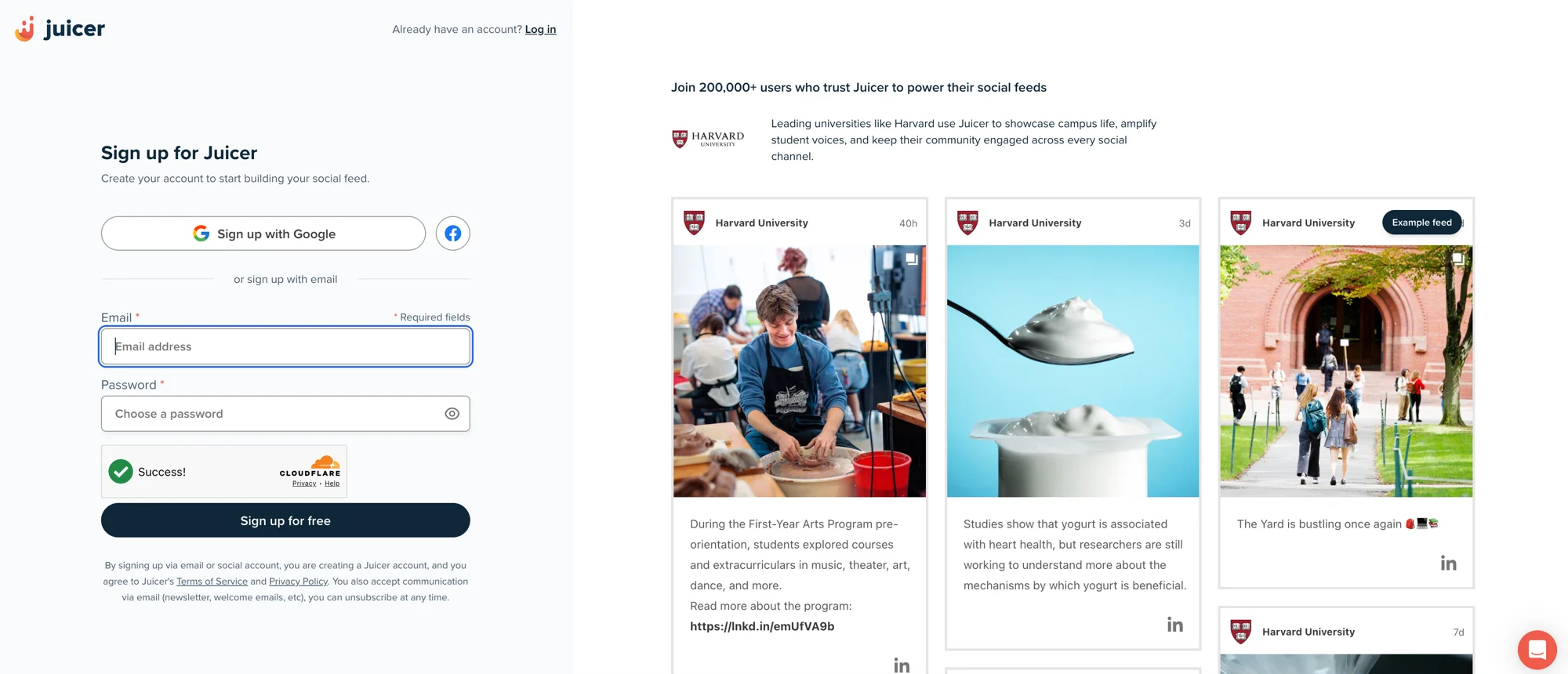
Sign up for Juicer's Bluesky aggregator (it's free!)
Input your email address and select a password, then click “Sign up for free”, or choose one of the social network options to sign up with.
-
2
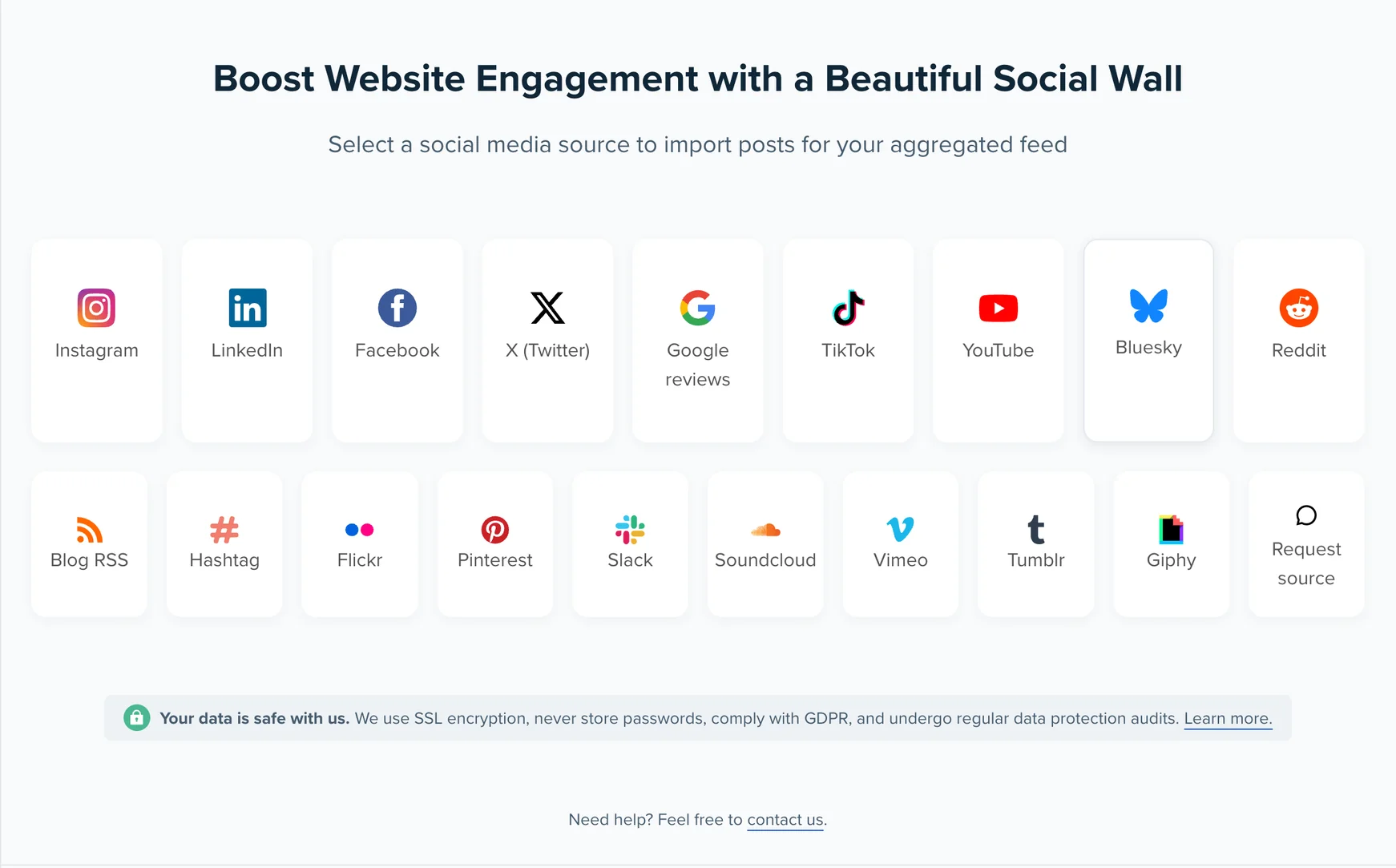
Select Bluesky social media icon
After you've signed up, you'll see a list of social media icons. Click on the Bluesky icon.
-
3
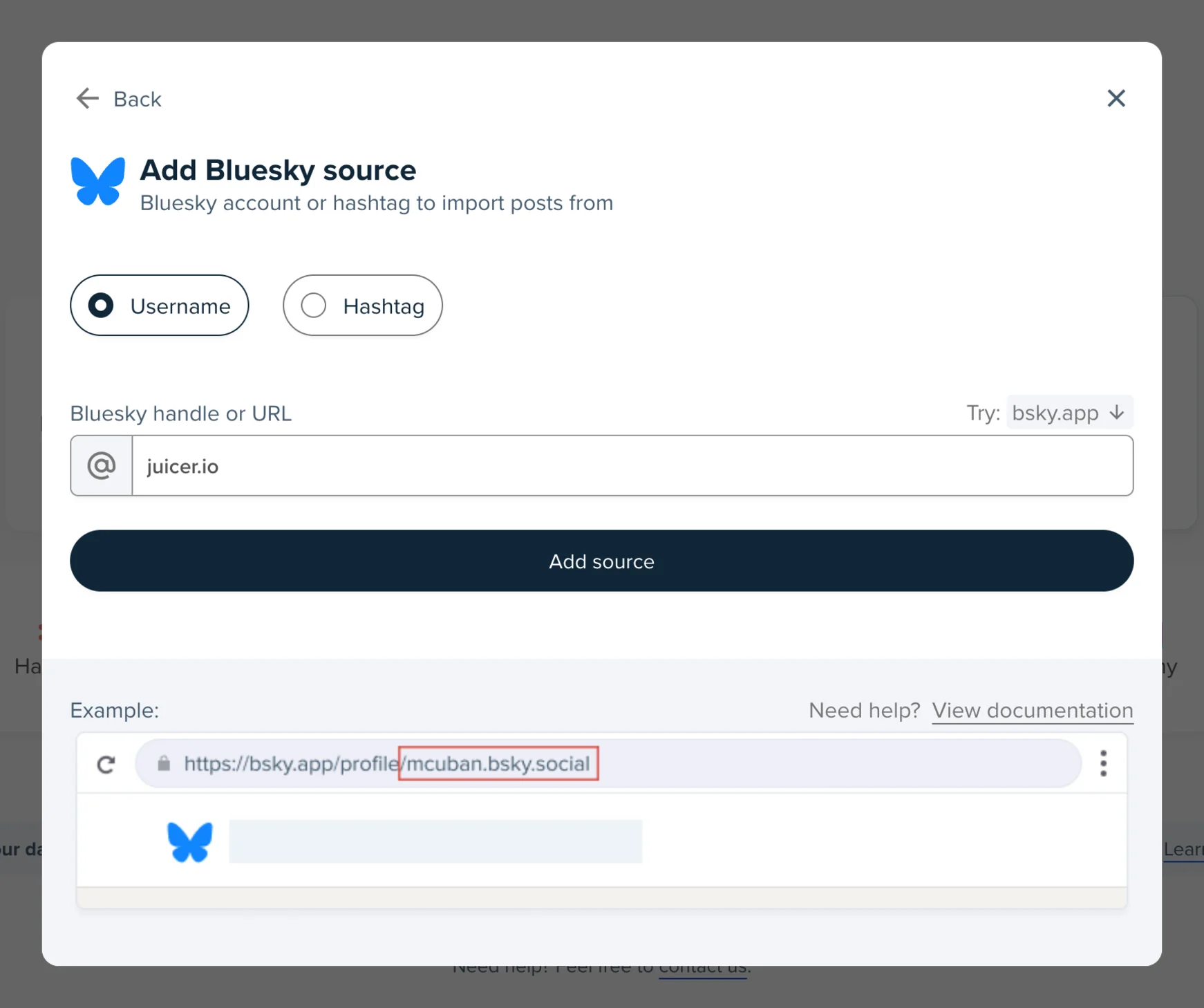
Create Source
Select the type of posts you want to add (Username or Hashtag). Once you click “Add source” Juicer will automatically curate your Bluesky posts. Once all of your Bluesky content has been curated, you'll be directed to your feed editor.
-
4
Embed the Bluesky feed on your website
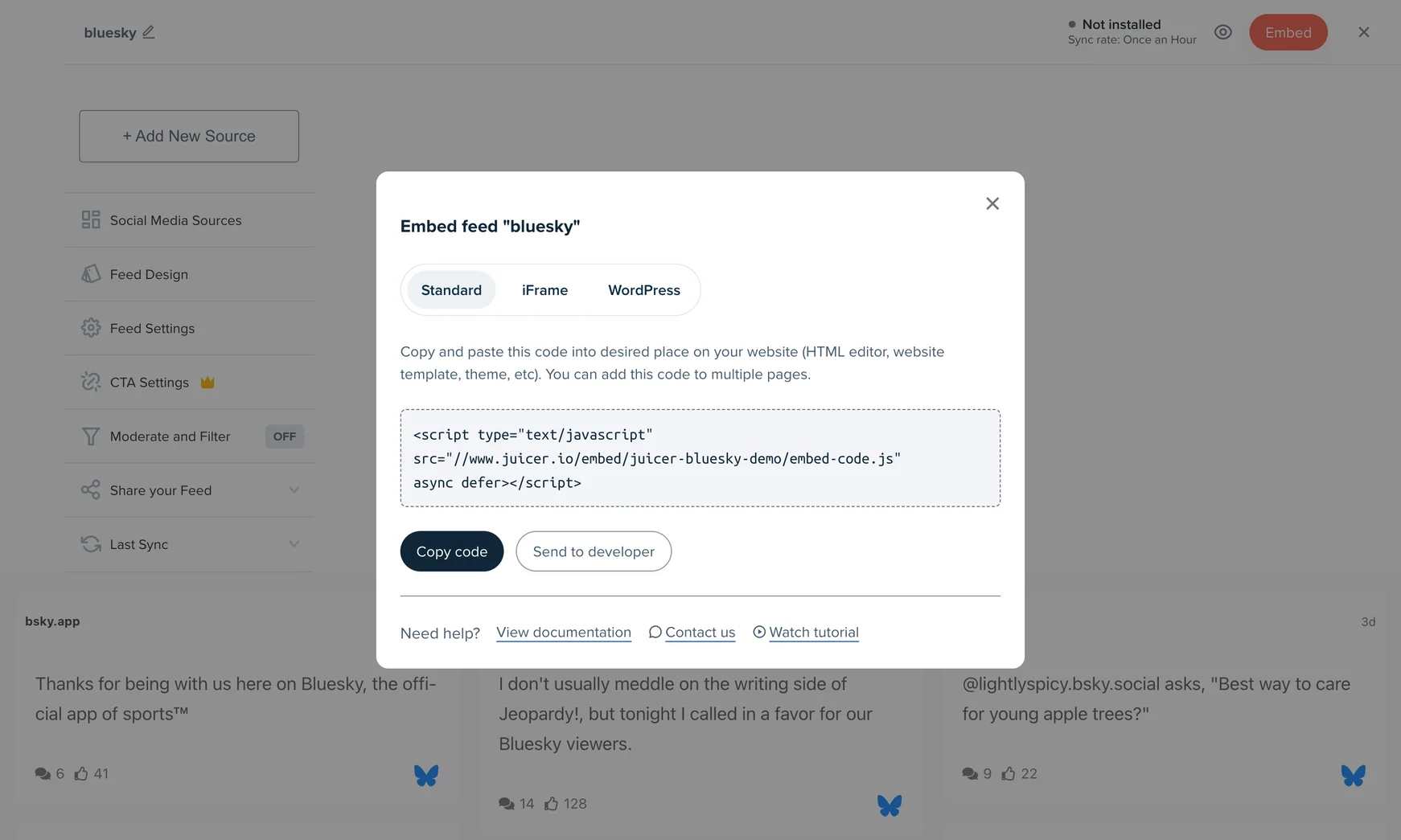
In order to embed the Bluesky aggregator on your website, go to the top bar of your feed editor page and click on “Embed”.
You can simply copy and paste this code into your website on any page you would like to feature your Juicer Bluesky feed.
Bluesky social wall in action
Supported platforms
Juicer plans allow as many as 15 source accounts per feed. You can aggregate and moderate your social wall with feeds from popular platforms like Facebook, Instagram, TikTok, X (Twitter), LinkedIn and many more.
- TikTok
- YouTube
- X (Twitter)
- Bluesky
- Google reviews
- Tumblr
- Blog RSS
- Slack
- Giphy
- Soundcloud
- Flickr
- Vimeo
I love that I can connect so many social channels in one feed. I love how customizable the design is and the ability to filter the social content to exactly what you're looking for. It's so easy to add to a website and you can add in branded elements or change the design to fit your site.

Your beautiful social feed
live in just a few minutes!
-

01
Connect your social accounts
Link Bluesky, Google reviews, YouTube, Instagram, Facebook, and other platforms to bring your social content to life. Highlight promotions, product features, behind-the-scenes stories, or event updates.
-

02
Customize your social media feed
Choose from a range of layouts and add call-to-action buttons for sign-ups, bookings, or more. Personalize the design to match your brand for a professional, polished look.
-

03
Embed the feed on your website
Easily embed your curated feed onto your website using an HTML snippet, iframe, or WordPress plugin, whether it's a homepage, blog, or dedicated landing page.


Trusted by 200 000+ customers big and small
From personal projects to enterprise brands and events, Juicer's social wall enhances content reach, engagement, and brand visibility.


Frequently asked questions
Find answers to common questions about Juicer's Bluesky aggregator.
-
What is a Bluesky aggregator?
A Bluesky aggregator collects and displays posts from Bluesky in a single, organized feed on your website. It allows you to showcase updates, conversations, and community interactions in one place to keep your content fresh and engaging. -
How does Juicer's Bluesky aggregator work?
Add the Bluesky handle or hashtag you want to show - there is no account to connect - and Juicer pulls in its posts automatically. Your feed is then embedded on your website and updates as new posts are published. Bluesky sources are included on the Pro and Enterprise plans, available on Lite and Starter with the Source add-on, and available during the 1-week Free plan trial. -
Can I display posts from multiple Bluesky accounts?
Yes. Juicer allows you to aggregate posts from multiple Bluesky profiles into one feed. This is helpful for brands with multiple accounts, events, or teams contributing content. -
Is the Bluesky feed updated automatically?
Yes. Your Bluesky feed refreshes automatically, so new posts appear on your website without any manual updates. -
Can I moderate or hide specific posts?
Yes. Juicer provides moderation tools that let you approve, hide, or remove specific posts before or after they appear on your site.