
Juicer SoundCloud aggregator
SoundCloud aggregator for your social wall
With millions of tracks and podcasts, SoundCloud is a go-to for music and audio. Our SoundCloud aggregator lets you seamlessly pull tracks and playlists from your account or multiple artists. All your audio content is then displayed in one clean, unified feed for your website.
Whether you're a musician, podcaster, brand, or event organizer, you can embed SoundCloud content directly onto your site. This keeps visitors engaged with fresh audio and curated playlists that amplify your message and connect with your audience.

How the Juicer SoundCloud aggregator works
SoundCloud is one of the most powerful platforms for sharing music, podcasts, and audio stories with a global audience. From independent artists to established creators, its content is diverse and constantly growing - but often remains locked within the platform. With Juicer's SoundCloud aggregator, you can seamlessly pull tracks, playlists, or albums from your SoundCloud account - or multiple sources - into a clean, unified feed displayed directly on your website.
Whether it's showcasing your latest music releases, curating branded playlists, or highlighting podcast episodes, your embedded SoundCloud feed keeps your site dynamic, interactive, and engaging - helping you share audio content in context and connect with your listeners.

SoundCloud aggregator use cases
SoundCloud aggregator for musicians
Showcase your latest tracks, albums, or remixes in a beautifully embedded feed. Perfect for artists who want to expand their reach beyond SoundCloud and attract new fans directly on their websites.
SoundCloud aggregator for brands
Curate playlists, jingles, or branded audio content that strengthens your identity. Ideal for brands looking to create a more immersive website experience through sound.
SoundCloud aggregator for podcasters
Embed your episodes, series, or highlights in a single feed. Great for podcasters who want to grow their audience, make episodes easier to access, and keep listeners engaged.
Benefits of a SoundCloud social wall

Keep audio fresh automatically
Juicer updates your feed with the latest tracks, playlists, and podcasts in real time, ensuring your website always features new sounds without the need for manual updates.
Boost engagement and time on site
Music and audio draw visitors in and keep them listening longer. A continuous feed of fresh tracks encourages deeper interaction and increases the time spent on your site.
Showcase authentic storytelling
SoundCloud is home to diverse voices and unique audio stories. Embedding a SoundCloud feed highlights your creativity or brand voice, helping you connect through authentic, expressive sound.
Seamless brand consistency
Your SoundCloud feed can be customized to match your website's design, creating a cohesive listening experience that feels like a natural extension of your brand.
Highlight community voices
Curate audio from collaborators, events, or community creators into one feed. This strengthens connections with your audience and amplifies diverse perspectives.
Improve SEO performance
By embedding dynamic SoundCloud content, your site benefits from frequent updates that boost dwell time, generate fresh indexable links, and help increase your search rankings.
We like the juicer adds a live component to our website, automatically pulling content from our various social media feeds.

How to set up SoundCloud aggregator to embed SoundCloud feeds on your website
Watch our video guide on how to setup a SoundCloud social media feed on your website
Or follow our step by step instructions
-
1
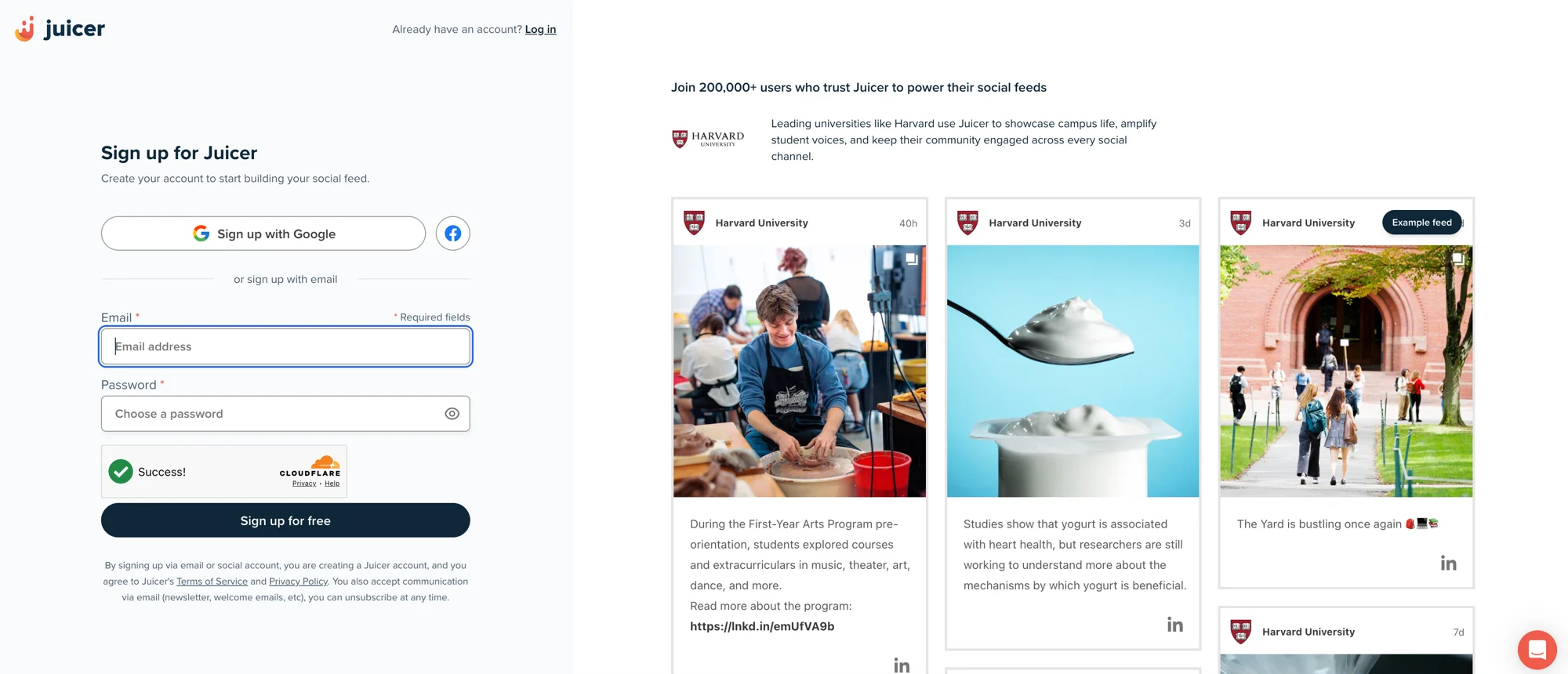
Sign up for Juicer's SoundCloud aggregator (it's free!)
Input your email address and select a password, then click “Sign up for free”, or choose one of the social network options to sign up with.
-
2
Select SoundCloud social media icon
After you've signed up, you'll see a list of social media icons. Click on the SoundCloud icon.

-
3
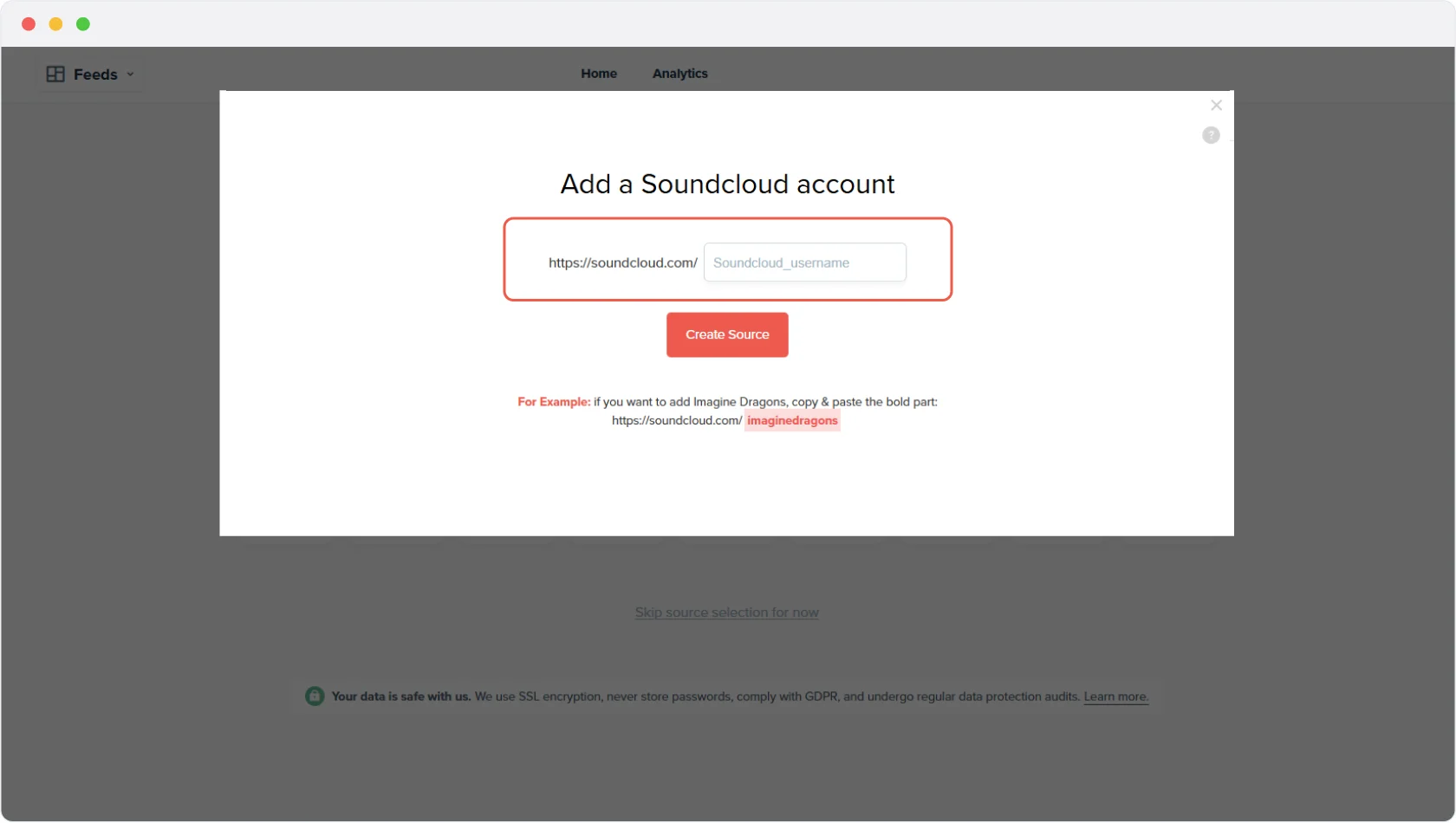
Create Source
Once you click “Create Source” Juicer will automatically curate all of your posts from your SoundCloud page. Once all of your SoundCloud content has been curated, you'll be directed to your feed editor.
-
4
Embed the SoundCloud feed on your website
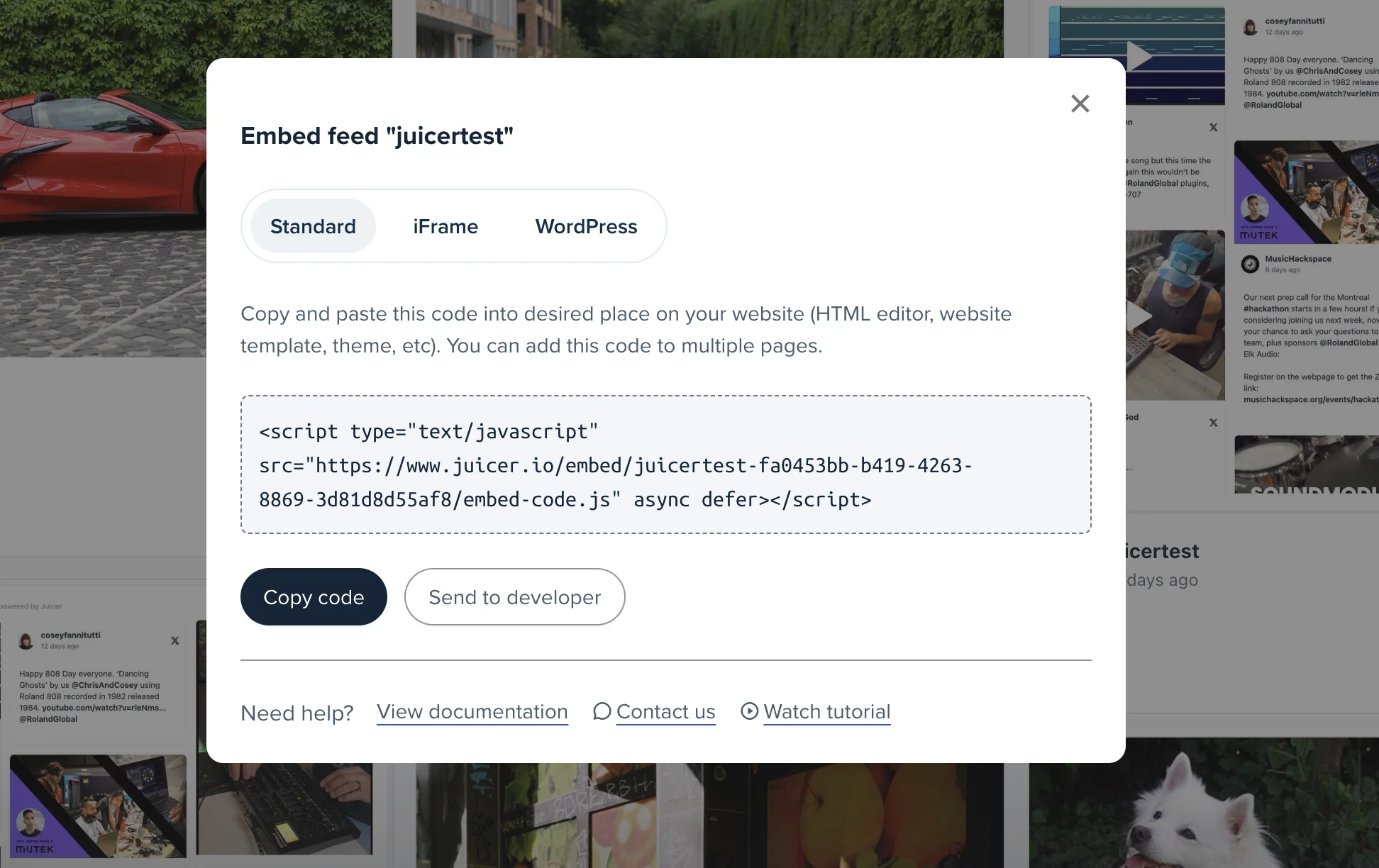
In order to embed the SoundCloud aggregator on your website, go to the top bar of your feed editor page and click on “Embed”.
You can simply copy and paste this code into your website on any page you would like to feature your Juicer SoundCloud feed.
Supported platforms
Juicer plans allow as many as 15 source accounts per feed. You can aggregate and moderate your social wall with feeds from popular platforms like Facebook, Instagram, TikTok, X (Twitter), LinkedIn and many more.
- TikTok
- YouTube
- X (Twitter)
- Bluesky
- Google reviews
- Tumblr
- Blog RSS
- Slack
- Giphy
- Soundcloud
- Flickr
- Vimeo
I love that I can connect so many social channels in one feed. I love how customizable the design is and the ability to filter the social content to exactly what you're looking for. It's so easy to add to a website and you can add in branded elements or change the design to fit your site.

Your beautiful social feed
live in just a few minutes!
-

01
Connect your social accounts
Connect SoundCloud alongside Instagram, Facebook, YouTube and other platforms to bring your audio and social content together in one feed.
-

02
Customize your social media feed
Choose from a range of layouts and add call-to-action buttons for new releases, gigs, or podcast subscriptions. Personalize the design to match your brand for a professional, polished look.
-

03
Embed the feed on your website
Easily embed your curated feed onto your website using an HTML snippet, iframe, or WordPress plugin, whether it's a homepage, blog, or dedicated landing page.


Trusted by 200 000+ customers big and small
From personal projects to enterprise brands and events, Juicer's social wall enhances content reach, engagement, and brand visibility.


Frequently asked questions
Find answers to your common questions about Juicer's SoundCloud aggregator feature.
-
What is a SoundCloud aggregator?
A SoundCloud aggregator lets you pull tracks, playlists, and podcasts from your SoundCloud account - or multiple accounts - into one clean, unified feed that you can embed directly on your website. -
Can I connect multiple SoundCloud accounts or playlists?
Yes. Juicer allows you to aggregate audio from multiple accounts, playlists, or albums, making it easy to display all your content in a single embedded feed. -
What type of audio content can I display?
You can showcase tracks, full playlists, podcasts, or mixes from SoundCloud. This gives you flexibility to highlight your latest releases, curated collections, or long-form audio. -
How often does the feed update?
Juicer automatically refreshes your SoundCloud feed in real time, so your site always displays the newest tracks and playlists without manual updates. -
Can I customize the design of the SoundCloud feed?
Absolutely. You can choose from Juicer's templates or use Custom CSS to ensure the embedded audio feed matches your website's branding and style. -
Does embedding SoundCloud content help SEO?
Yes. Embedding a SoundCloud feed adds fresh, dynamic content to your website, which helps improve dwell time, boost organic traffic, and strengthen search engine rankings. -
Do I need technical skills to embed a SoundCloud feed?
Not at all. Juicer provides a simple embed code you can copy and paste into your website. Advanced customization is optional for those who want deeper control.