
Juicer LinkedIn Aggregator
Linkedin Social Wall and Aggregator
You've done the hard work of publishing excellent professional content on LinkedIn, but it doesn't end there. Use Juicer's LinkedIn aggregator to expand your content's lifespan and reach more people. Juicer can automatically pull your LinkedIn posts into beautifully curated social feeds on your website and other offline channels like event displays.

What is a LinkedIn Aggregator?
A LinkedIn aggregator is a tool that automatically collects and displays LinkedIn posts and updates from various users onto a single platform. This tool is ideal for showcasing LinkedIn content on different channels, such as a website or event display.
Juicer is an example of a LinkedIn aggregator that lets you embed your LinkedIn feed on your website without coding. It's a fantastic way to increase the visibility of your content and keep a professional look for your brand.

LinkedIn aggregator use cases
LinkedIn aggregator for enterprises
Take your employer-branding content beyond LinkedIn. Display LinkedIn company updates, employee posts, and marketing messaging on your website automatically. This helps you create a consistent and professional brand image.
LinkedIn aggregator for events
Automatically collect and display event posts, updates, and content from various LinkedIn profiles, pages, hashtags, or groups onto a single platform. Showcase a rich, dynamic feed of industry-relevant and company-specific content live on your website during corporate events.
LinkedIn aggregator for agencies
As a marketing agency, you know that LinkedIn is a crucial platform for building your client's brand image and professional reputation. But how can you ensure their LinkedIn content reaches a broader audience? Juicer's LinkedIn aggregator for agencies can help you do just that! Our tool lets you easily embed your clients' LinkedIn feeds on their websites and reach a wider audience.
Benefits of Juicer's LinkedIn Aggregator

Embed LinkedIn Feed On Your Website Without Code
It's quick and easy to embed your LinkedIn feed with Juicer. All you need to do is sign up for a free Juicer account and add your LinkedIn profile as a content source - all without writing a single line of code.
Curate and Control What Your Audience Sees
Maintain a professional LinkedIn feed appearance and brand image. Juicer's moderation features let you control which posts and hashtags are added to your LinkedIn social feed. Set up automatic filters that curate your best content in real time.
LinkedIn Aggregator Feed Design Templates
Juicer includes nine built-in social media feed styles that display your LinkedIn feed differently. One style may work better for your website than the rest, but if you're having a tough time choosing, you can easily switch from one feed style to another until you find the right one. You can also adjust the feed size and the number of columns.


How to Set Up LinkedIn Aggregator to Embed LinkedIn feed on Website
-
1
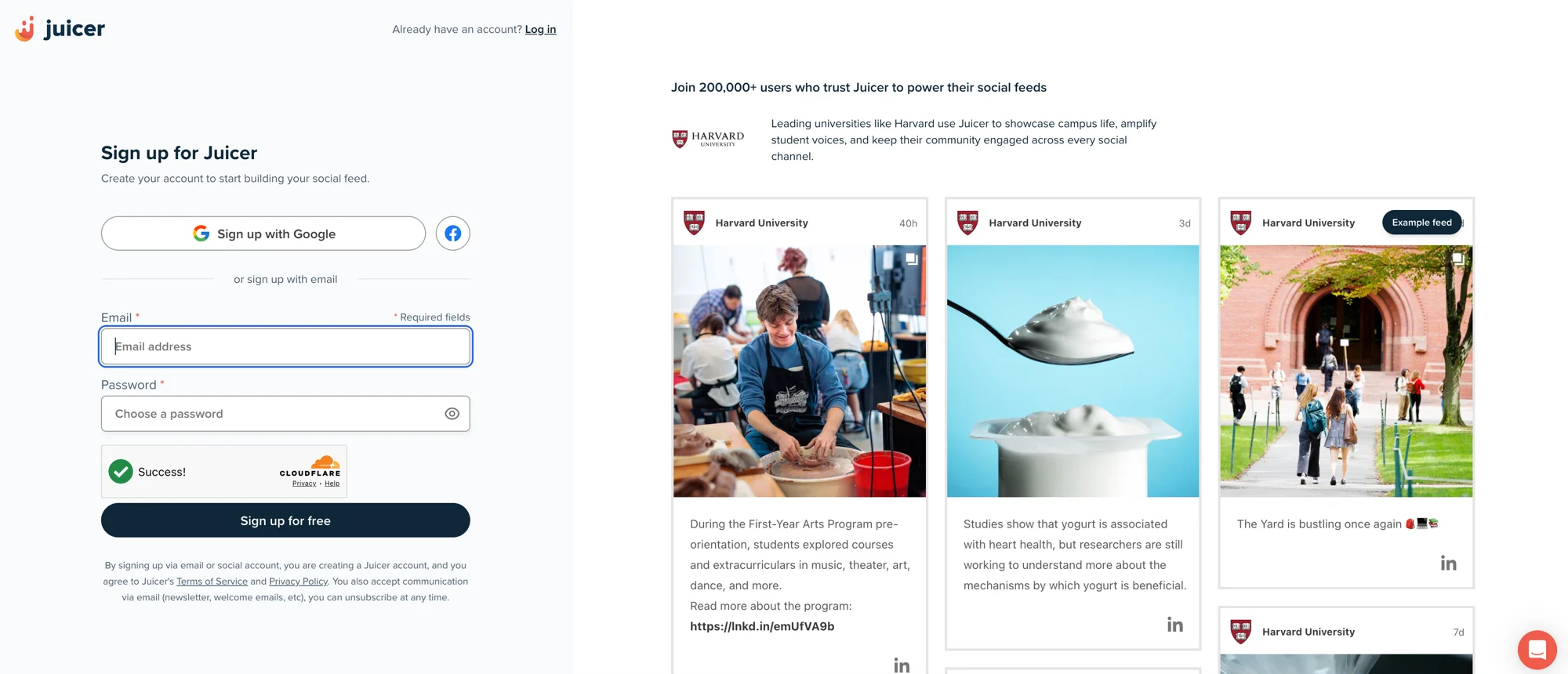
Sign up for Juicer's LinkedIn aggregator (it's free!)
Input your email address and select a password, then click “Sign up for a free account”, or choose one of the social network options to sign up with.
-
2
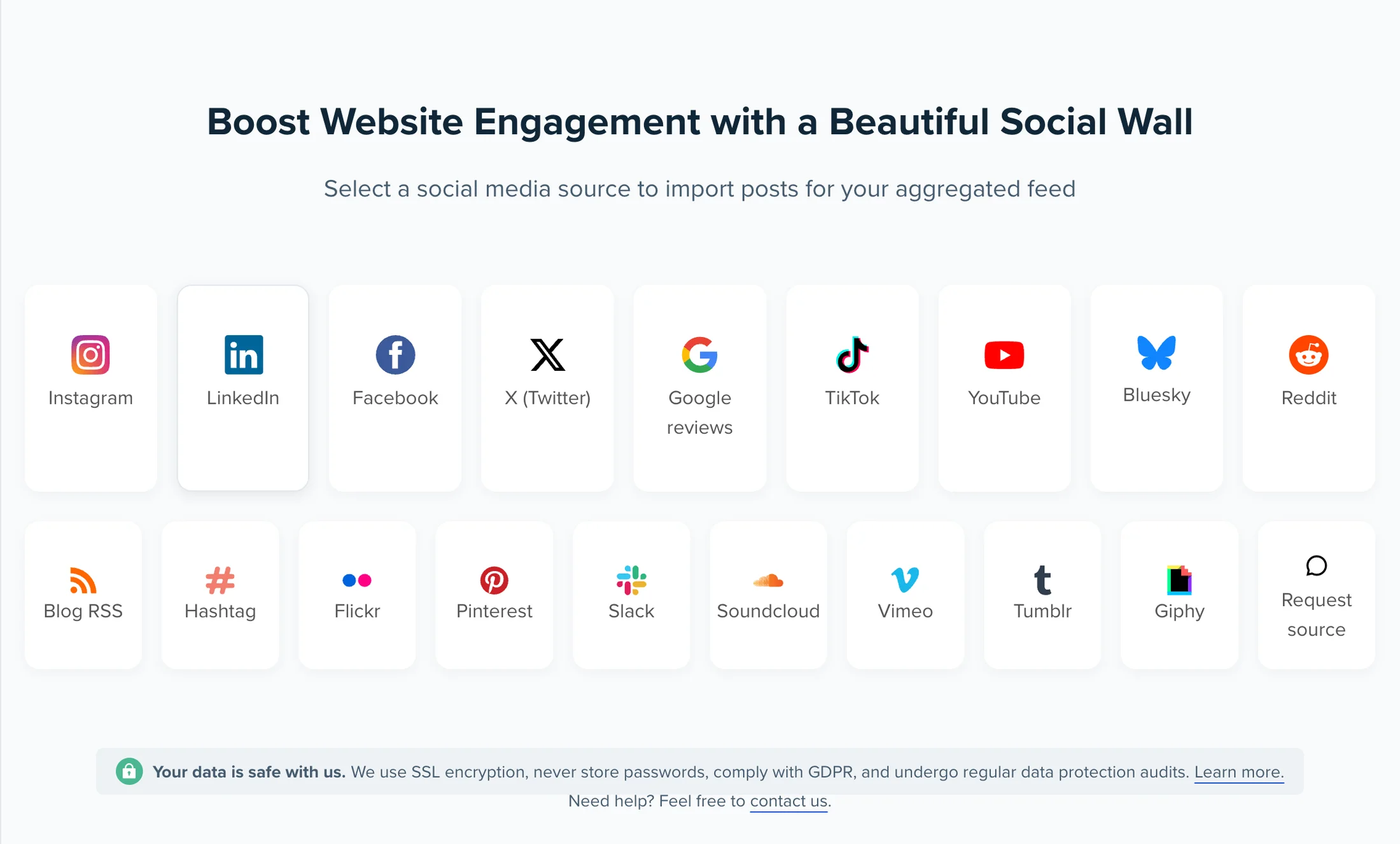
Select the LinkedIn Social Media Icon
You'll see a list of social media icons you can add to your social media aggregator. Click on the LinkedIn icon.
-
3
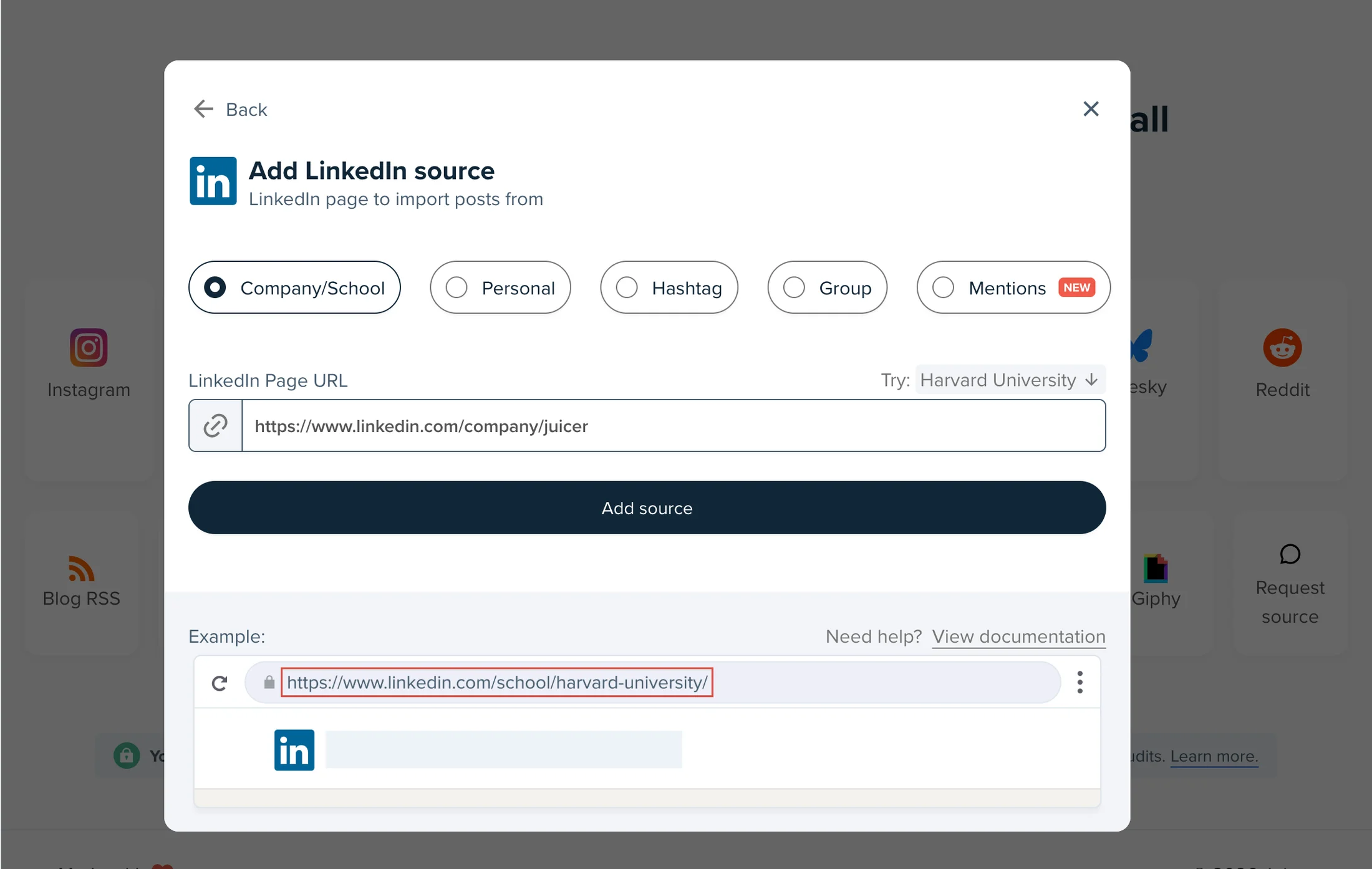
Add your LinkedIn account as a source
You can select from a company/school page, personal profile, hashtag, or group. We'll continue with the company page for our use case.
-
4
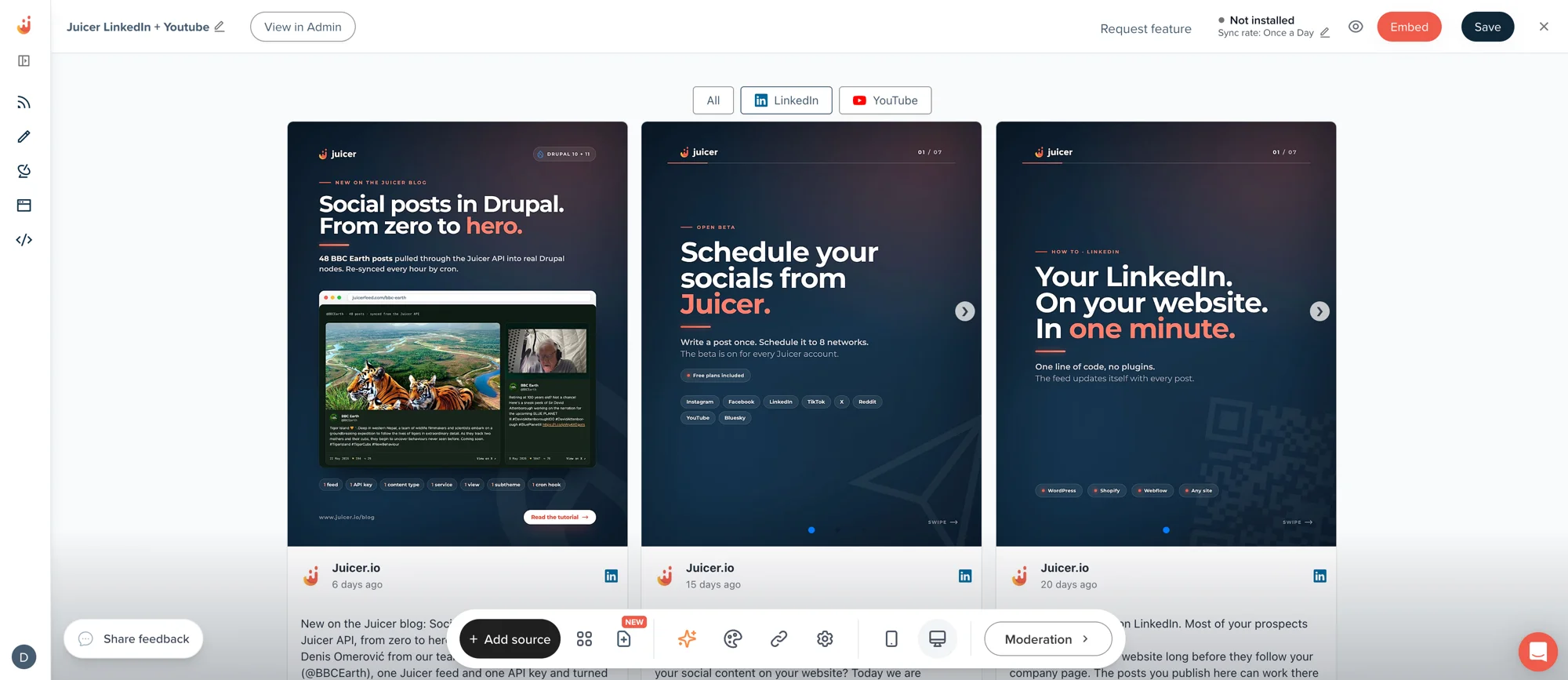
Wait a few seconds and refresh the page, done!
Your super customizable LinkedIn social wall is ready. You will see your company page post feed is automatically embedded here.
Trusted by 200 000+ customers big and small
From personal projects to enterprise brands and events, Juicer's social wall enhances content reach, engagement, and brand visibility.


Supported platforms
Juicer plans allow as many as 15 source accounts per feed. You can aggregate and moderate your social wall with feeds from popular platforms like Facebook, Instagram, TikTok, X (Twitter), LinkedIn and many more.
- TikTok
- YouTube
- X (Twitter)
- Bluesky
- Google reviews
- Tumblr
- Blog RSS
- Slack
- Giphy
- Soundcloud
- Flickr
- Vimeo
I love that I can connect so many social channels in one feed. I love how customizable the design is and the ability to filter the social content to exactly what you're looking for. It's so easy to add to a website and you can add in branded elements or change the design to fit your site.

Ready to start?
Create a Professional Social Feed For LinkedIn
Take your best LinkedIn content further with Juicer's LinkedIn aggregator.