
Juicer Slack aggregator
Slack aggregator for your social wall
With millions of teams using Slack, it serves as a central hub for conversation and updates. Our Slack aggregator lets you seamlessly pull messages, announcements, and highlights from your channels into one unified feed for your website.
Whether you're a company, community, or event organizer, you can easily embed a Slack channel in website pages or embed Slack into website layouts, displaying live Slack updates directly on your site. This keeps visitors engaged with real-time discussions, team updates, and community content, all without the extra effort.

How the Juicer Slack aggregator works
Slack has become the go-to platform for teams and communities to collaborate, share updates, and stay connected in real time. But often, those valuable conversations and announcements stay hidden inside Slack. With Juicer's Slack aggregator, you can seamlessly pull messages, updates, and highlights from selected Slack channels into a clean, unified feed displayed directly on your website.
Whether it's company announcements, community discussions, or event updates, your embedded Slack feed keeps your site fresh, transparent, and engaging by showcasing the conversations that matter most

Slack aggregator use cases
Slack aggregator for businesses
Display key announcements, updates, or team highlights from Slack directly on your website. Perfect for companies that want to share culture, progress, and important news publicly.
Slack aggregator for communities
Curate conversations and shared posts from Slack channels to keep your broader community engaged. Ideal for online groups that want to extend discussions beyond Slack and onto their public-facing website.
Slack aggregator for events
Showcase live Slack discussions, Q&A, or announcements during virtual and hybrid events. Keep attendees informed and engaged with a real-time feed of conversations directly on your event site.
Benefits of a Slack social wall

Keep updates flowing automatically
Juicer updates your feed with the latest Slack messages and highlights in real time, ensuring your website always reflects the most current team or community discussions without extra effort.
Boost engagement and time on site
Visitors stay longer when they can browse Slack updates directly on your site. A live, scrollable feed encourages deeper interaction and keeps audiences connected to ongoing conversations.
Showcase transparency and culture
Embedding a Slack feed highlights your company's culture, teamwork, and community spirit. It's an authentic way to build trust by showing real conversations and updates.
Seamless brand consistency
Your Slack feed can be styled to match your website's design, creating a polished, unified look that blends naturally with the rest of your brand experience.
Drive community participation
Use your Slack feed to highlight community Q&As, announcements, or shared resources. This strengthens relationships and encourages users to get more involved.
Improve SEO performance
By embedding dynamic Slack content, you add fresh, indexable updates to your website, helping to improve dwell time, increase search visibility, and boost rankings.
We like the juicer adds a live component to our website, automatically pulling content from our various social media feeds.

Step-by-Step: Embed Slack into Website and Add Live Channels
-
1
Sign up for Juicer's Slack aggregator (it's free!)
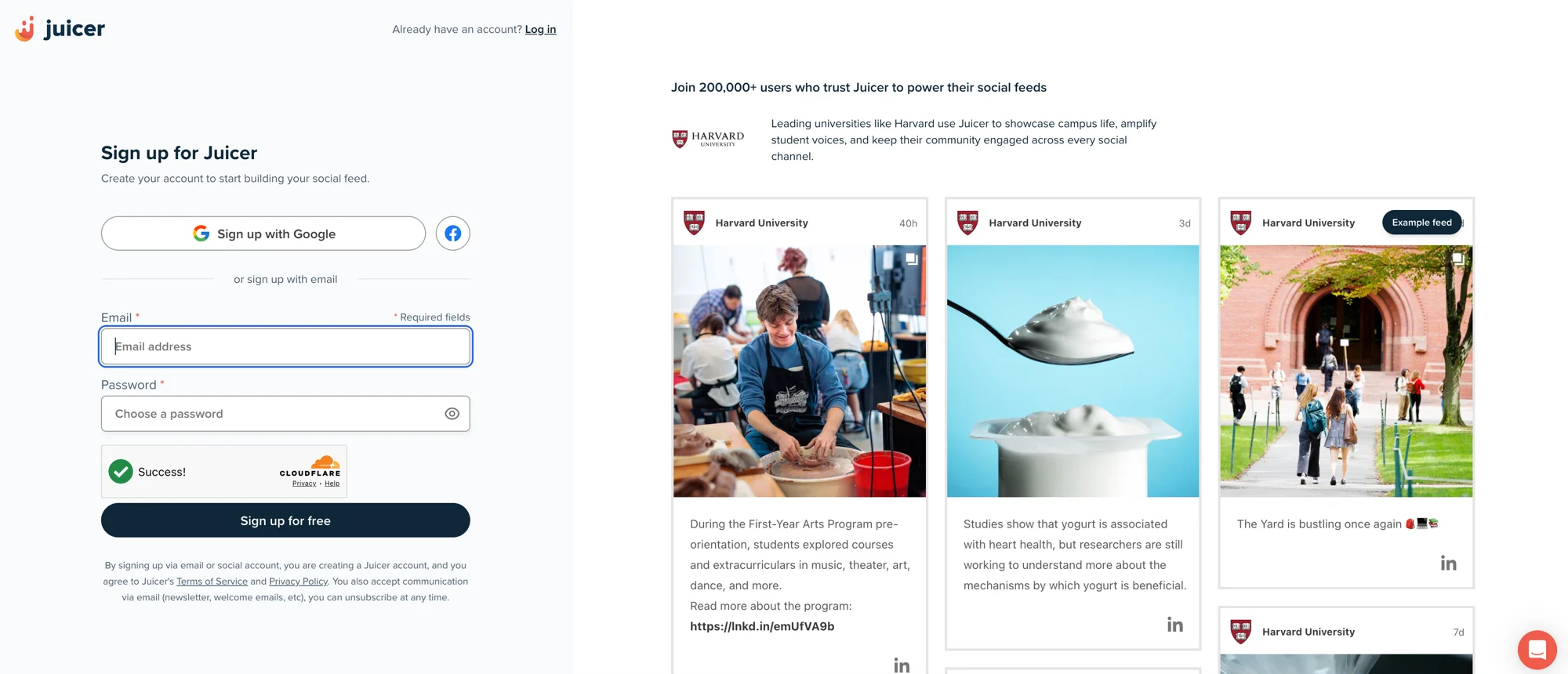
Input your email address and select a password, then click “Sign up for free”, or choose one of the social network options to sign up with.
-
2
Select Slack social media icon
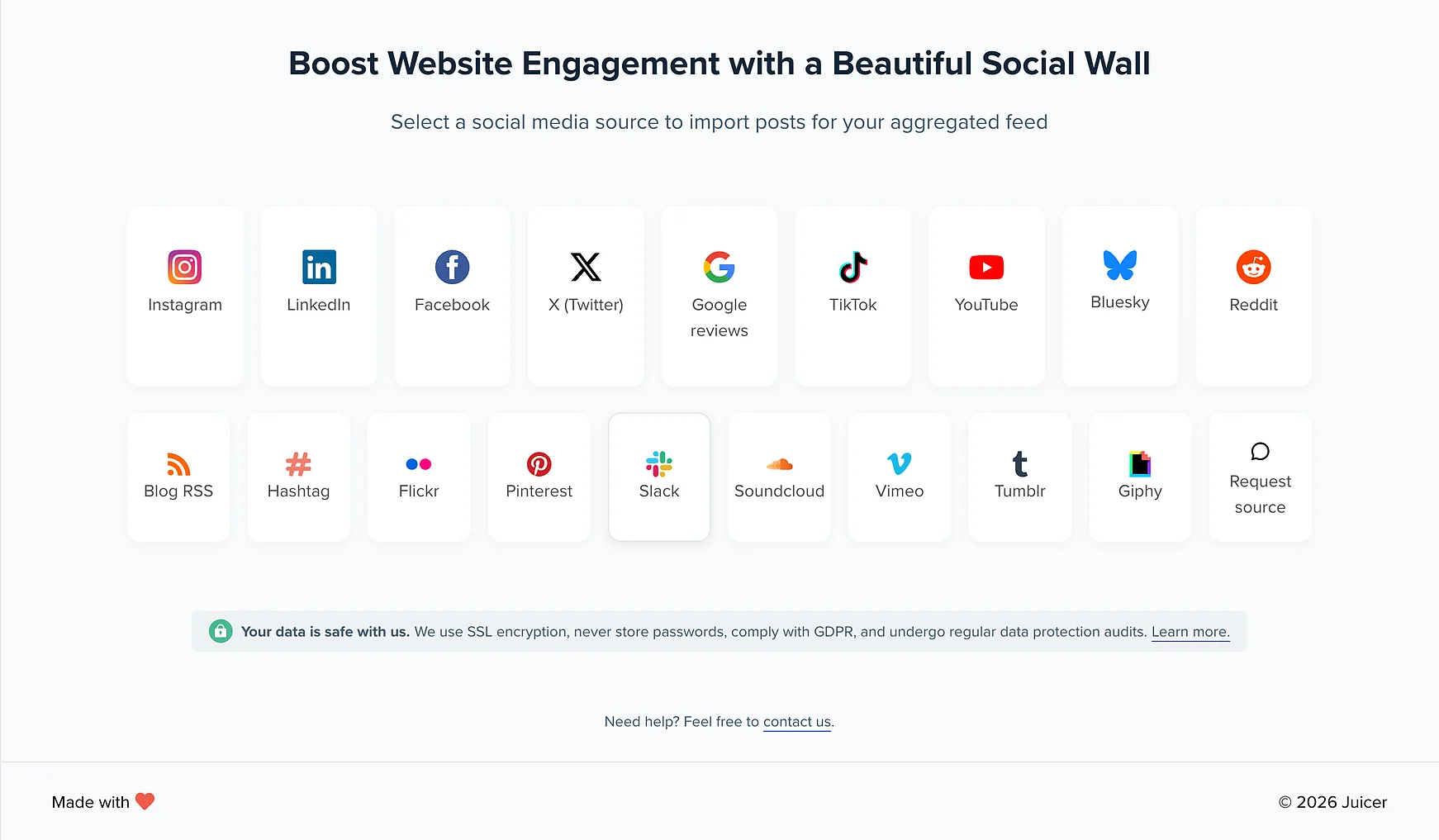
After you've signed up, you'll see a list of social media icons. Click on the Slack icon.
-
3
Create Source
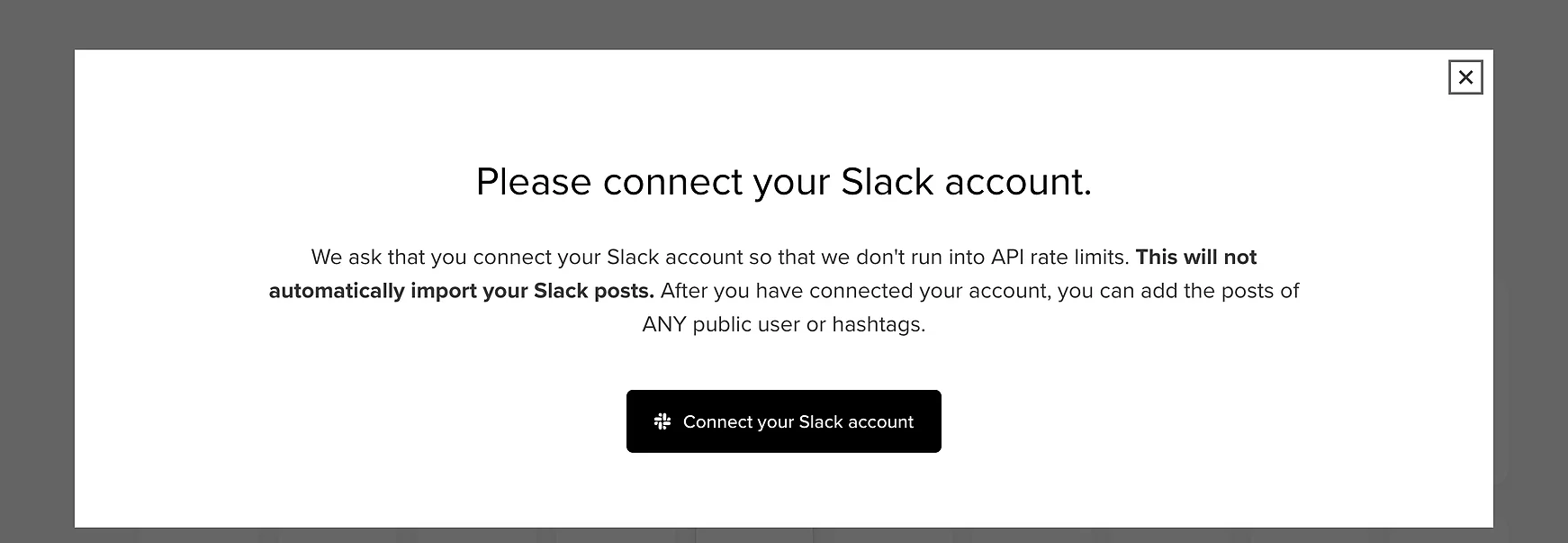
Slack asks you to authorise the workspace first, so click “Connect your Slack account”.
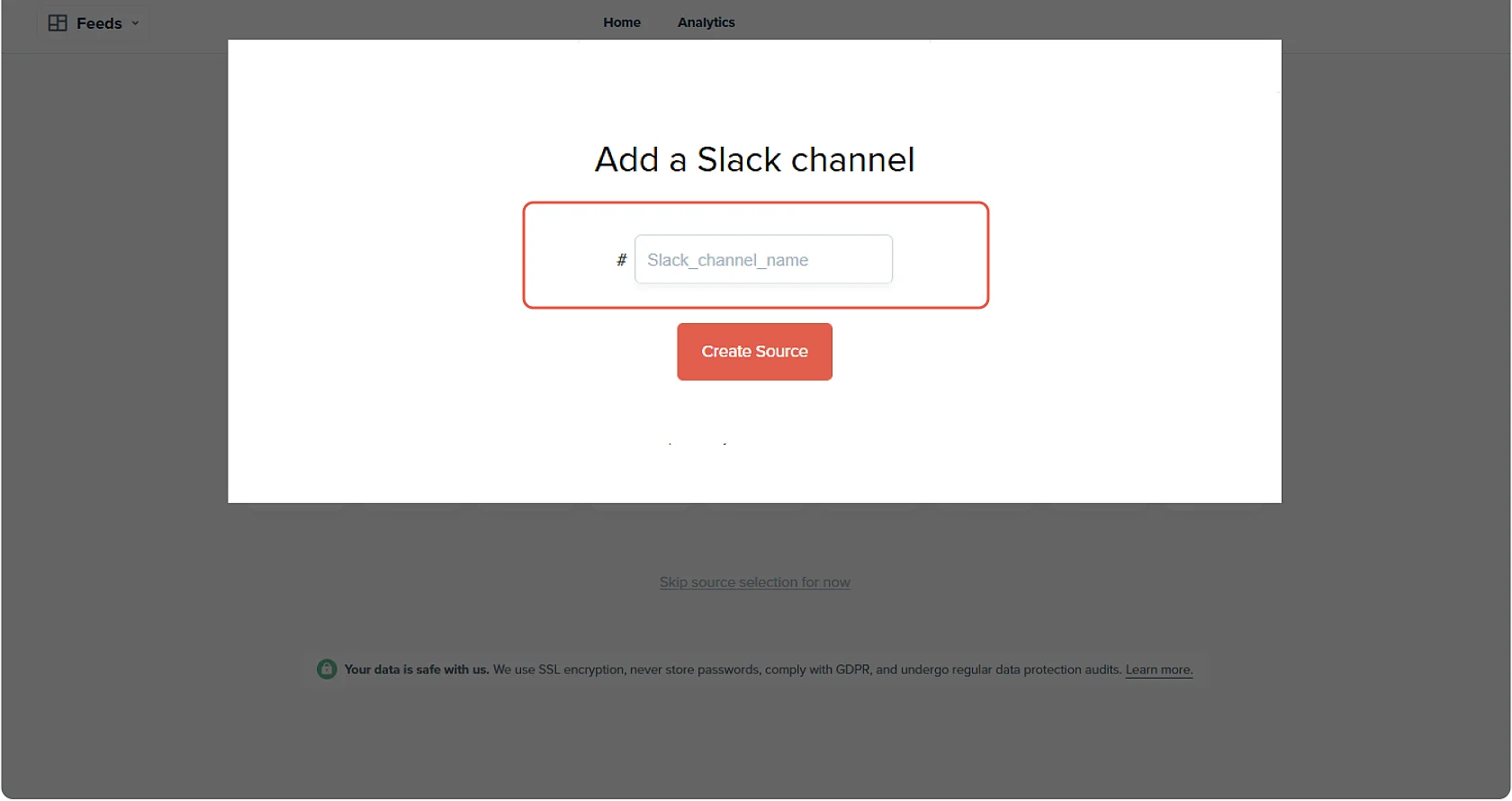
Then name the channel you want to pull in. Once you click “Create Source” Juicer will automatically curate all of your posts from your Slack page. Once all of your Slack content has been curated, you'll be directed to your feed editor.
-
4
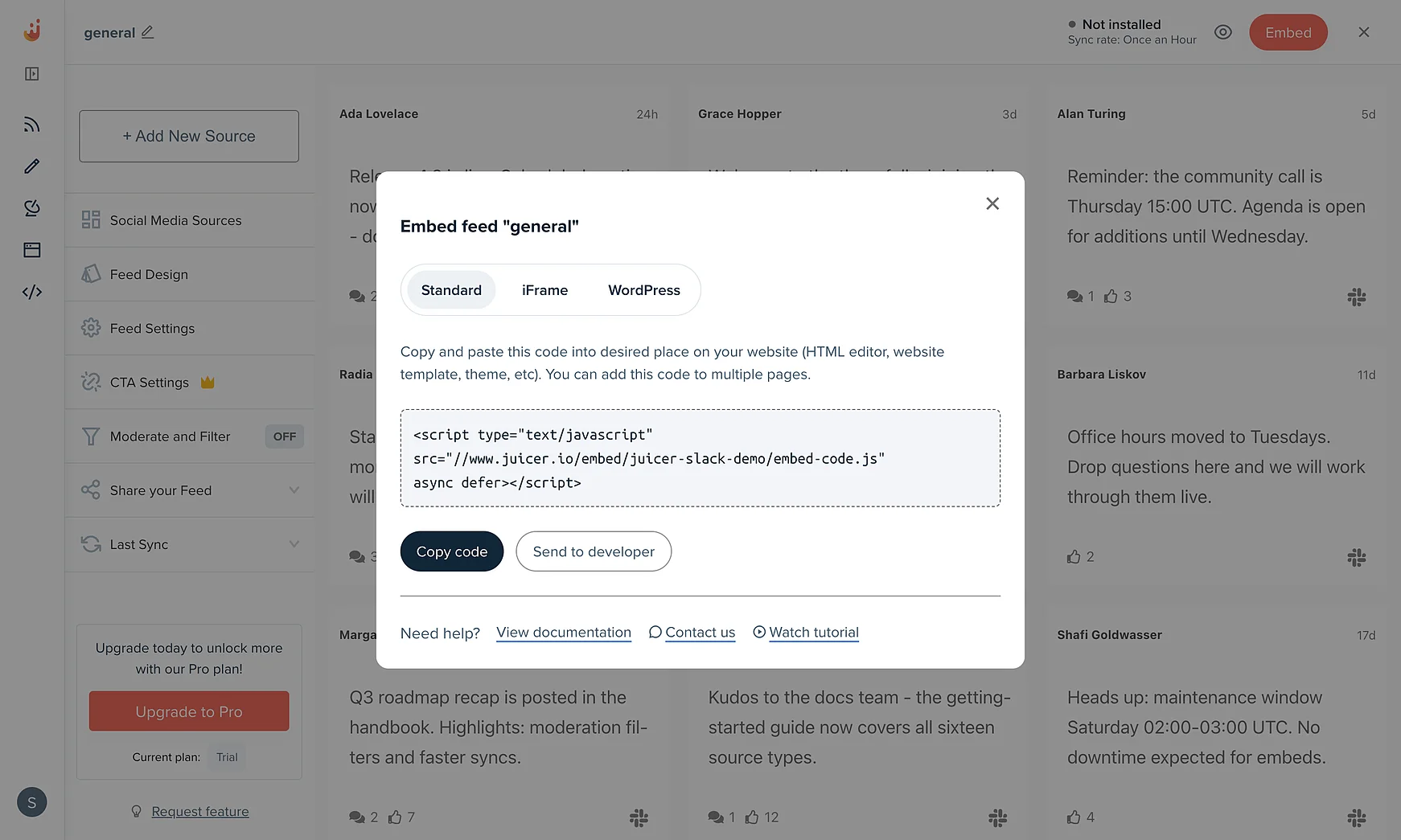
Embed the Slack feed on your website
In order to embed the Slack aggregator on your website, go to the top bar of your feed editor page and click on “Embed”.
You can simply copy and paste this code into your website on any page you would like to feature your Juicer Slack feed.
Supported platforms
Juicer plans allow as many as 15 source accounts per feed. You can aggregate and moderate your social wall with feeds from popular platforms like Facebook, Instagram, TikTok, X (Twitter), LinkedIn and many more.
- TikTok
- YouTube
- X (Twitter)
- Bluesky
- Google reviews
- Tumblr
- Blog RSS
- Slack
- Giphy
- Soundcloud
- Flickr
- Vimeo
I love that I can connect so many social channels in one feed. I love how customizable the design is and the ability to filter the social content to exactly what you're looking for. It's so easy to add to a website and you can add in branded elements or change the design to fit your site.

Your beautiful social feed
live in just a few minutes!
-

01
Connect your social accounts
Connect Slack alongside Instagram, Facebook, YouTube and other platforms to bring your team updates and social content together in one feed.
-

02
Customize your social media feed
Choose from a range of layouts and add call-to-action buttons for sign-ups, event registrations, or more. Personalize the design to match your brand for a professional, polished look.
-

03
Embed the feed on your website
Easily embed your curated feed onto your website using an HTML snippet, iframe, or WordPress plugin, whether it's a homepage, blog, or dedicated landing page.


Trusted by 200 000+ customers big and small
From personal projects to enterprise brands and events, Juicer's social wall enhances content reach, engagement, and brand visibility.


Frequently asked questions
Find answers to your common questions about Juicer's Slack aggregator feature.
-
What is a Slack aggregator?
A Slack aggregator allows you to pull messages, announcements, and highlights from selected Slack channels and display them in a unified feed directly on your website. -
Can I connect multiple Slack channels?
Yes - you can aggregate content from multiple Slack channels into one feed. This is ideal for companies or communities that want to showcase updates from different teams in a single place. -
What type of Slack content can be displayed?
You can embed messages, links, updates, and shared resources from your Slack channels. Media-rich posts with images or files can also appear in your feed, depending on the channel's activity. -
Can I control which messages appear?
Yes - you have full moderation controls. You can choose to approve or filter messages before they appear on your website, keeping your feed clean and on-brand. -
Do I need coding knowledge to set it up?
No coding required. Juicer provides a simple embed code that you can paste into your site. For more advanced customization, you can apply Custom CSS. -
Does embedding Slack updates improve SEO?
Yes - by embedding dynamic, regularly updated content, you generate fresh indexable pages, increase visitor dwell time, and improve your site's search visibility.