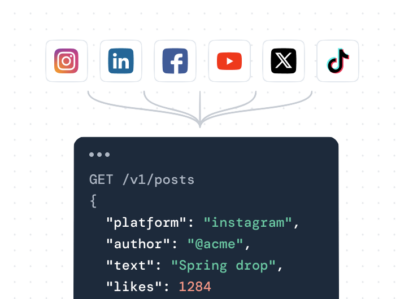

Juicer.io is the best Instagram feed plugin for WordPress in 2026, especially if you want to pull from multiple Instagram accounts or hashtags without touching code. If you just need a free WordPress Instagram feed widget for a single account and don’t mind fewer customization options, Smash Balloon and Social Feed Gallery are solid free picks. Below, we compare the top Instagram feed plugins for WordPress on pricing, free plans, and setup time, so you can add an Instagram feed to WordPress that fits your site.
Instagram Feed Plugins Comparison Table: Price, Hashtags, Multi-account & more
| Plugin | Free tier | Price | Hashtag feeds | Multi-account | Networks beyond Instagram |
|---|---|---|---|---|---|
| Juicer Social | Yes (1 feed, 1 source) | Paid plans from $7/mo | Paid plans only | Paid plans only | Yes: Facebook, YouTube, TikTok, Pinterest, Tumblr, Google Reviews, LinkedIn & more depending on paid plan level |
| Smash Balloon Social Photo Feed | Yes | Pro 149/yr | Pro only | Yes, free | No, Instagram-only. Other platforms are separate Smash Balloon plugins |
| Social Feed Gallery | Yes | Premium 149/yr | Yes, free | Premium only | No, Instagram-only |
| WPZOOM Social Feed Widget and Block | Yes | Pro 99/yr | Not supported | Pro only | No, Instagram-only |
| Feed Them Social | Yes | Free, or All Access Pass $199/yr | Paid extension only | Yes, free | Yes, free: Facebook, TikTok, YouTube |
| Spotlight Social Feeds | Yes | Essentials 99/yr | Yes, free | Yes, free | No, Instagram-only |
| Easy Social Feed | Yes | Pro from $39/yr | Pro only | Paid add-on | Yes, free: Facebook, YouTube, X. TikTok is a separate sister plugin |
We pulled active installation counts, last-updated dates, and current pricing directly from each plugin’s WordPress.org listing and vendor pricing page in July 2026, not from older roundups that recycle outdated screenshots. A plugin only made this list if it had shipped an update within the last two months and was still available for download. For each plugin, we specifically checked whether hashtag-based Instagram feeds and multi-account support sit behind a paywall, since those two features are where “free Instagram feed plugin” claims most often fall apart once you actually try to set one up.
The Best Instagram Plugins for WordPress, Reviewed
Juicer Social Media Feed Aggregator

Juicer.io is a WordPress Instagram feed plugin built for sites that want more than one Instagram account, or Instagram combined with other networks, without hiring a developer. It installs from the plugin directory, connects through a hosted dashboard, and syncs automatically once a source is added. It’s the strongest fit for brands running multiple Instagram accounts or a broader social wall across the site.
- ✅ Combines Instagram feed aggregator with 12+ other networks (Facebook, YouTube, TikTok, Pinterest, and more) in one unified feed, not a single-platform tool
- ✅ Built-in moderation and content filters keep a hashtag feed clean without policing every post by hand
- ❌ Free tier caps out at one feed and one source; multi-account and hashtag feeds need a paid plan starting at $7/mo
Smash Balloon

Smash Balloon is the most widely installed Instagram feed plugin for WordPress, running on over a million active sites. The free version covers the basics well: multiple Instagram accounts, a clean grid layout, no coding required. It’s the safest best Instagram plugin for WordPress pick if install base and support quality matter more than price.
- ✅ Multi-account support ships free, unusual for a single-platform Instagram plugin
- ✅ Massive install base means page-builder compatibility (Elementor, Divi, Beaver Builder) is already battle-tested
- ❌ Hashtag feeds, carousels, and lightbox views sit behind Pro, 149/yr
- ❌ Instagram-only; adding Facebook or YouTube means buying a separate Smash Balloon plugin
Quadlayers Instagram Feed

Formerly known as Social Feed Gallery, Quadlayer’s Instagram Feed is a free WordPress plugin built around Elementor and Gutenberg, with gallery and carousel layouts included at no cost. Formerly called Instagram Feed Gallery before a 2019 rename, it’s stayed Instagram-only and become a popular pick for site owners who build in Elementor.
- ✅ Hashtag feeds work in the free version, not gated behind a paywall like most on this list
- ✅ Native Elementor block included free, no shortcode wrangling for page-builder users
- ❌ Multi-account support and Instagram Stories require Premium, 149/yr
WPZOOM Social Feed Widget and Block
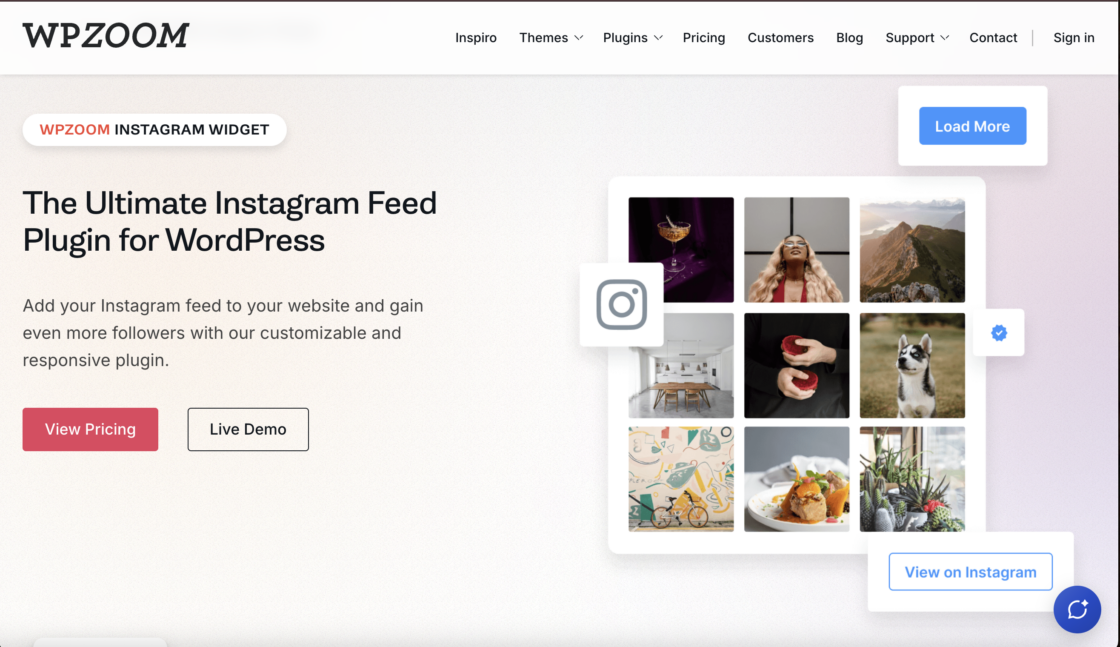
A lightweight WordPress Instagram feed widget built to load faster than heavier alternatives, with a free tier covering grid layouts, a lightbox gallery, and Gutenberg block support. WPZOOM markets it directly as the lean alternative to bulkier Instagram plugins, and the file size backs that up.
- ✅ Noticeably smaller and faster-loading than most competitors here, a real factor for page speed scores
- ✅ WooCommerce product tagging (Pro) turns a feed into a shoppable Instagram gallery
- ❌ No hashtag feed support at all, free or paid
- ❌ Multi-account feeds are Pro-only, 99/yr
Feed Them Social

A free Instagram feed WordPress plugin from SlickRemix that also handles Facebook, TikTok, and YouTube out of the box, useful when Instagram is only one piece of the feed. Setup runs through a saved-feed editor rather than raw shortcodes, and free-tier users can create unlimited feeds.
- ✅ Multi-account and multi-feed support included free, no cap to hit
- ✅ Bundles four networks in one plugin instead of charging per platform
- ❌ Hashtag feeds require a paid extension, part of a $199/yr All Access Pass
Spotlight Social Feeds

A newer entrant that gives away what most competitors charge for: hashtag feeds and multi-account support, both free. Built by RebelCode with accessibility and SEO in mind, it’s a strong pick for anyone who wants to add an Instagram feed to WordPress around a branded hashtag without paying to unlock it.
- ✅ Hashtag feeds and multi-account support are both free, the most generous free tier on this list
- ✅ Built for accessibility and semantic markup out of the box, not bolted on later
- ❌ Smaller install base and shorter track record than Smash Balloon or Social Feed Gallery
- ❌ Instagram-only, no Facebook or YouTube option on the same plugin
Easy Social Feed

A free Instagram feed plugin for WordPress that also covers Facebook, YouTube, and X, updated within the last day at time of writing, among the most actively maintained plugins here. Server-rendered feeds with structured data are built as much for AI crawlers as for visitors.
- ✅ Covers Instagram, Facebook, YouTube, and X in one free plugin, with TikTok available as a separate sister plugin
- ✅ Structured data and server-rendered markup built in, useful for SEO and for AI answer engines
- ❌ Hashtag feeds are Pro-only, and displaying more than one Instagram account needs a paid add-on
- ❌ Pro pricing is fragmented by module, $39/yr and up per network, which adds up fast across several
How to add an Instagram feed to WordPress
Every Instagram feed plugin for WordPress follows roughly the same four moves: install, connect your Instagram account, choose what to show, then embed. Here’s the general process, followed by the exact steps if you’re using Juicer.
The general process (works for any WordPress Instagram feed plugin)
- From your WordPress dashboard, go to Plugins, then Add New, and search for the plugin you picked from the comparison above.
- Install and activate it.
- Open the plugin’s settings and connect your Instagram account. Most plugins now use Instagram’s official login rather than a manual access token.
- Choose your source: a single account, multiple accounts, or a hashtag.
- Pick a layout (grid, carousel, or masonry) and save.
- Copy the shortcode, or insert the plugin’s block, into any page or post where you want the feed to appear.
Adding an Instagram feed to WordPress with Juicer Social
- Create a free Juicer.io account and install the Juicer.io plugin from the WordPress plugin directory.
- In your Juicer.io dashboard, select Instagram as your source.
- Choose whether to pull from your Instagram profile, a specific hashtag, or Instagram Stories.
- Connect your Instagram account to authorize Juicer.io
- Click “Add source” to load your feed.
- Click “Embed” in the top right corner and select WordPress as your embed method.
- Paste the generated code into the page or post where you want your WordPress Instagram widget to appear.
Want the non-WordPress version of this same walkthrough, including how to embed a single Instagram post without a plugin at all, or how a hashtag feed setup looks step by step? See our full guide to adding an Instagram feed to your website.
Setting up a hashtag feed instead of an account feed? Picking the right hashtag matters more than the plugin you use. Before you connect a source, see our guide on how to choose hashtags on Instagram so the feed pulls in content worth displaying instead of noise.
Which plugin should you actually choose (and free vs paid)
Most of the plugins above handle a basic Instagram grid equally well, so the real decision comes down to three things: what you’re pulling in, how many sources, and how much control you want over what gets published. Match those to a plugin instead of defaulting to whichever one has the most installs.
- Own posts only: free on any plugin.
- Hashtag feed: Social Feed Gallery, Spotlight Social Feeds, or Juicer.
- Instagram only: Smash Balloon or WPZOOM.
- Multiple networks: Feed Them Social, Easy Social Feed, or Juicer.
- Need moderation: Juicer Social and Feed Them Social ship built-in filtering; most single-purpose plugins don’t.
- Free vs paid: free covers one account. Paid unlocks hashtags, multiple accounts, or networks beyond Instagram.
If you want more than a static Instagram grid, room for a hashtag feed, multiple accounts, or other networks down the line, Juicer’s WordPress social feed plugin is the one to start with. See pricing and get your feed running today.