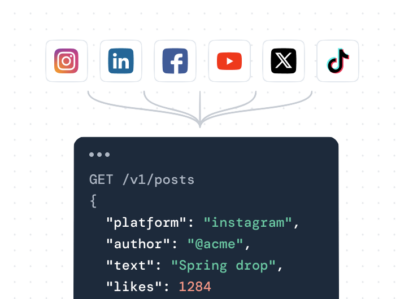

If you want the short answer: for most websites the best social media aggregator is Juicer.io, which pulls Instagram, TikTok, Facebook, YouTube, X (formerly Twitter), and LinkedIn into one feed you can drop on your site in minutes. But “best” depends on your budget, the platforms you post to, and whether you need extras like shoppable galleries or event displays. So we compared seven social media aggregator tools, checked each against real user reviews on G2, Trustpilot, and Software Advice, and broke down the pricing, so you can pick the right one in 2026 without a week of trials.
This is our ranked list of the best social media aggregator tools for 2026, from all-purpose picks to event and e-commerce specialists. Below you get an at-a-glance comparison table, a short buyer’s checklist for how to choose, an honest breakdown of all seven tools (features, pros and cons, pricing), and a verdict. Every tool here can combine social media feeds from multiple networks into a single embed.
Already know the platform you want to aggregate?
If you already know you just need one network on your site, skip the comparison and go straight to the setup guide for it:
- Social media aggregator (all platforms): the hub, start here for a mixed feed
- Instagram aggregator
- TikTok aggregator
- Facebook aggregator
- X / Twitter aggregator
- LinkedIn aggregator
- YouTube aggregator
Each page walks you through connecting that specific platform and embedding the feed. Prefer to compare tools first? Keep reading.
The best social media aggregators at a glance
| Tool | Best For | Key Features | Free Plan | Paid Plan |
|---|---|---|---|---|
| Juicer.io | Businesses needing reliable, multi-platform aggregation | 15+ platform support, auto moderation, custom CSS | Yes | Starting from $15/month |
| Taggbox | UGC campaigns with shoppable content | AI moderation, product tagging, multi-channel publishing | Yes | Starting from $19/month |
| Walls.io | Event professionals and live displays | Built-in photo booth, live polls, direct posting | Yes | Starting from $270/month |
| Flockler | Brands wanting unlimited layouts | Shoppable galleries, 5-15 minute updates, no page view limits | No | Starting from $129/month |
| EmbedSocial | Teams collecting reviews and social proof | Review requests, AI responses, 50+ templates | Yes | Starting from $29/month |
| Curator | Small teams on tight budgets | Basic aggregation, SEO-friendly embeds, white-label option | Yes | Starting from $25/month |
How to choose a social media aggregator
Before you look at logos and pricing, decide what actually matters for your site. These are the criteria that separate a tool you keep from one you cancel after the trial:
- Platform coverage. Check that it pulls every network you actually post to: Instagram, TikTok, Facebook, YouTube, X (formerly Twitter), LinkedIn, and hashtags across them. If your campaigns run on a single tag, confirm it works as a hashtag aggregator too. A tool that misses your main platform is a non-starter, no matter how cheap it is.
- Update frequency. A feed is only useful if it stays current. Refresh rates range from once a day on free plans to every few minutes on higher tiers. Match this to how often you publish.
- Moderation. You do not want spam, profanity, or off-brand posts showing up on your homepage. Look for automatic keyword and profanity filters plus manual approval so you control exactly what appears.
- Customization. Themes get you started; full custom CSS lets the feed match your brand instead of looking like a bolted-on widget. Confirm which plan unlocks real styling control.
- Shoppable and UGC features. If you sell products, product tagging turns a feed into a storefront. If you run hashtag campaigns, check for user generated content collection and rights management.
- Analytics. Feed views, clicks, and engagement tracking tell you whether the wall is doing anything. Some tools charge extra for this.
- API access. If a developer needs to pull the aggregated content into a custom build, confirm there is an API and what tier it sits on.
- Price and free plan. A genuinely useful free plan lets you test on your real site before paying. Watch for view caps that make the free tier a demo rather than a trial.
Score each tool below against the criteria that matter to you, not against a feature count.
The top 7 social media aggregator tools compared
1. Juicer.io
Juicer.io is a social media content aggregator that pulls posts from 15+ social platforms into one feed. It works for agencies managing multiple client feeds, universities running campus hashtag campaigns, and businesses that need to showcase user generated content without constant manual updates.
It also offers an enterprise plan that includes white-label options, letting agencies and content management systems rebrand the entire dashboard and login area with their own logo and domain.
Editor take: the strongest all-rounder here, and the one we list first because it wins on the two criteria most sites actually need: broad platform coverage and a free plan you can test on a real site. If you just want a reliable mixed feed, start here.
Top features
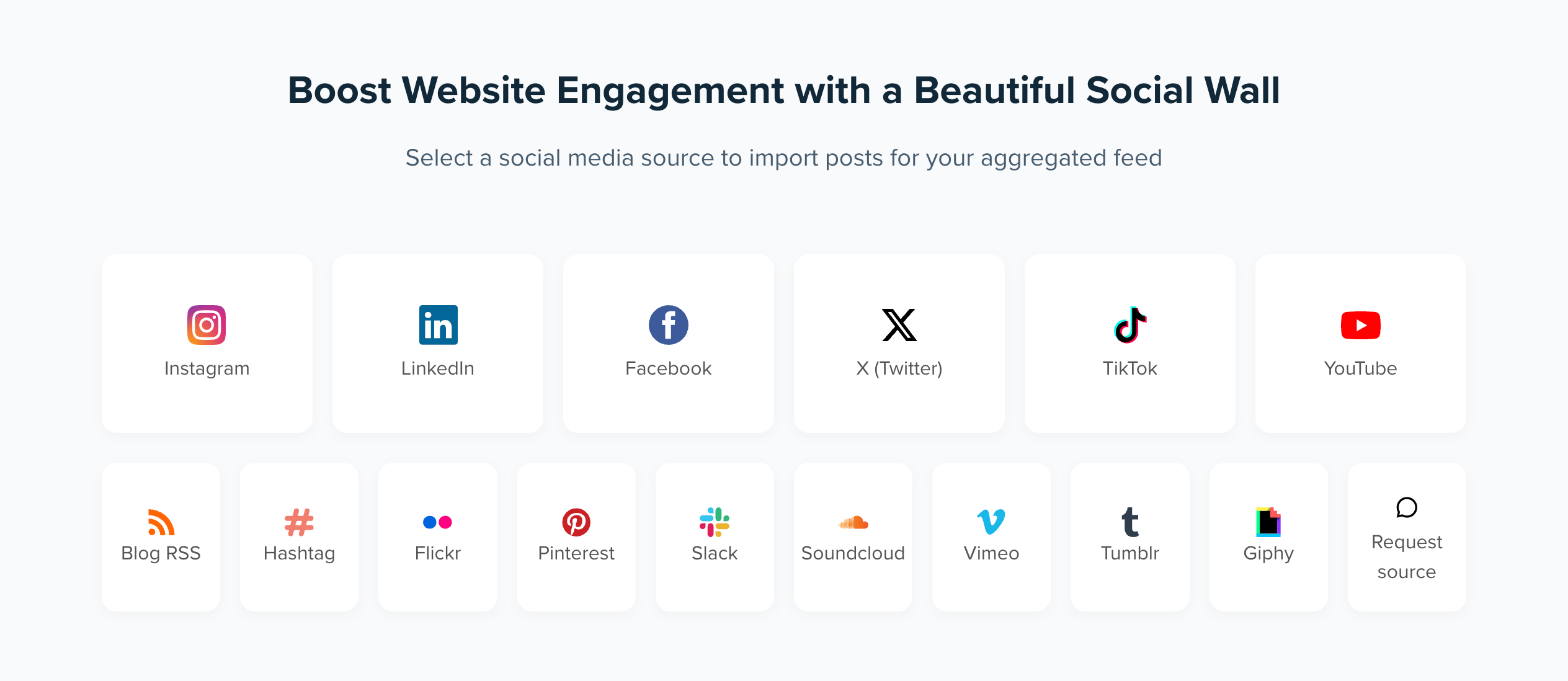
Aggregate posts from 15+ social media sources and hashtags
Juicer.io connects to major social platforms like Instagram, Facebook, TikTok, LinkedIn, YouTube, X (formerly Twitter), RSS, Tumblr, Slack, and others. You can pull content from your business profiles, personal profiles, and specific hashtags across these social platforms.
The tool updates your aggregated feed automatically based on your plan’s refresh rate. This means fresh content flows to your site without manual uploads.
Advanced customization
The platform offers pre-built themes you can apply right away, plus full custom CSS access on paid plans. You control colors, fonts, layouts, and spacing to seamlessly match your branding. The responsive design works just as well on mobile devices.
You can add clickable links and call-to-action buttons to further tailor experiences.
Manual and automatic moderation
Juicer.io’s moderation features control which social media posts show up on your feed. Set automatic filters to block content with specific keywords or profane language. You also have the option to manually approve posts before they go live if you need tighter control. You can also hide, pin, or feature specific posts to draw focus to what’s important.
Analytics
Track how your social media content performs with built-in analytics. See which posts get clicks, monitor feed views, and track follower growth over time. Use it to refine your social content strategy.

Pros and cons of using Juicer.io
Drives measurable growth: “We’ve gained more followers (18% quarter-over-quarter) on our social media channels, as visitors are encouraged to explore and connect with us directly from the embedded feed,” says Valentina de Cesaris from Foxtown, in a published Juicer case study.
Clean, professional display: “We use Juicer.io on our department website to pull together content from different platforms in a clean, consistent way. It looks great on both desktop and mobile, and the built-in moderation tools make it simple to keep things appropriate,” says Laura A. in her G2 review.
Straightforward setup: most users get their first feed up and running in under 10 minutes. The user-friendly interface means you don’t need technical knowledge to aggregate social media content.
Limited platforms on free plan: one social source might not be enough if you’re active across multiple social media platforms.
How much does Juicer.io cost?
When looking at monthly prices, Juicer.io offers the following plans:
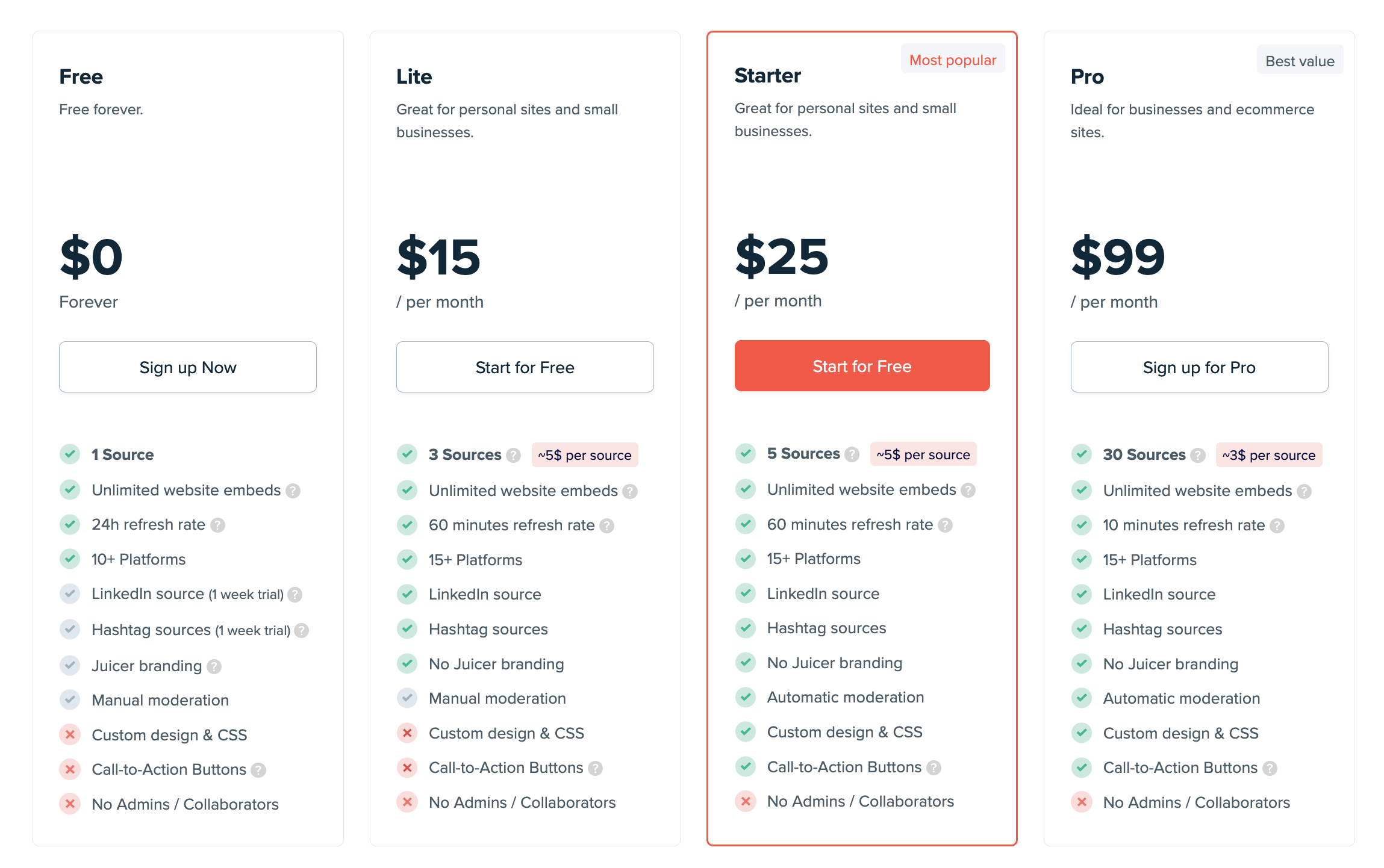
- Free: 1 social source, daily updates, 10+ platforms
- Lite ($15/month): 3 sources, hourly updates, 15+ platforms
- Starter ($25/month): 5 sources, hourly updates, call-to-action buttons
- Pro ($99/month): 30 sources, 10-minute updates, automatic moderation
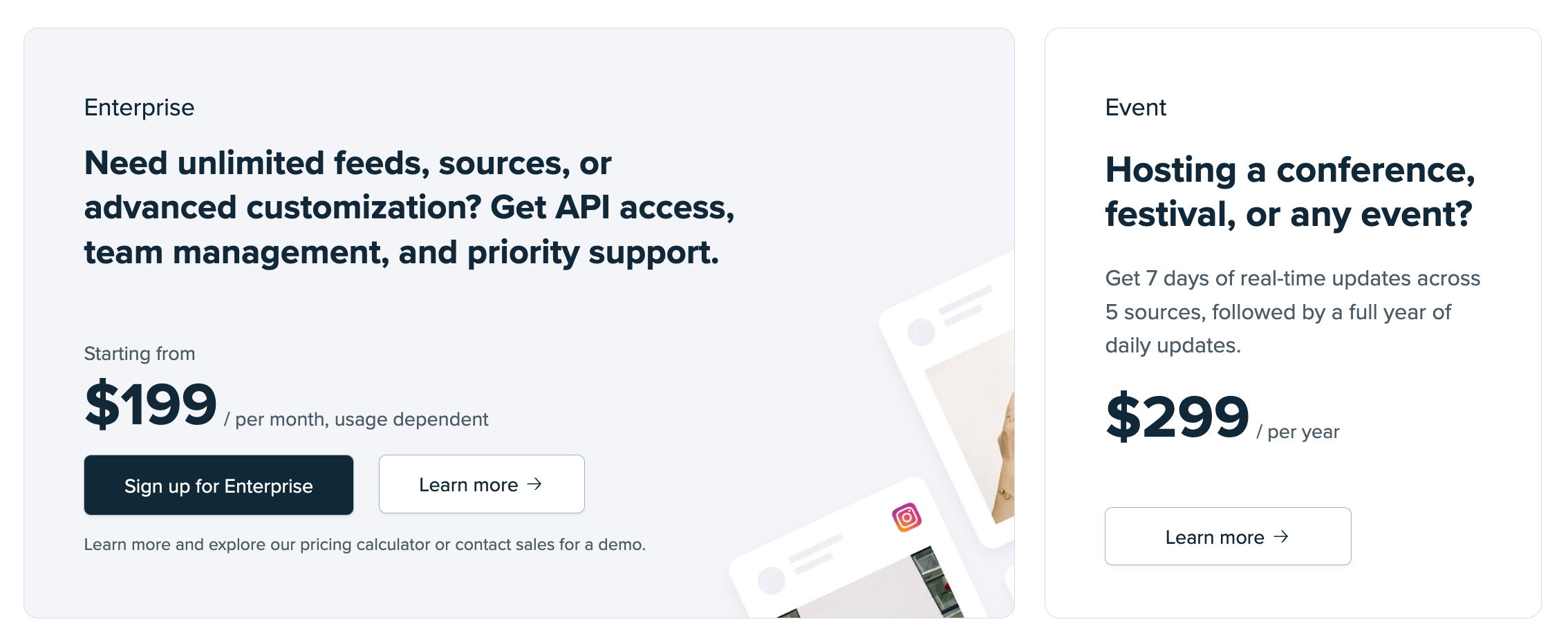
- Enterprise (starting from $199/month): Unlimited sources, API access, priority support
- Event ($299 per year): 7 days of real-time updates across 5 sources
With annual pricing, you get an automatic 10% discount on Lite, Starter, and Pro plans. Juicer.io also offers a 7-day free trial where you can try the paid plans before you commit to them. If you mainly care about one network, the Instagram aggregator and other platform pages get you set up on that feed specifically.
2. Taggbox
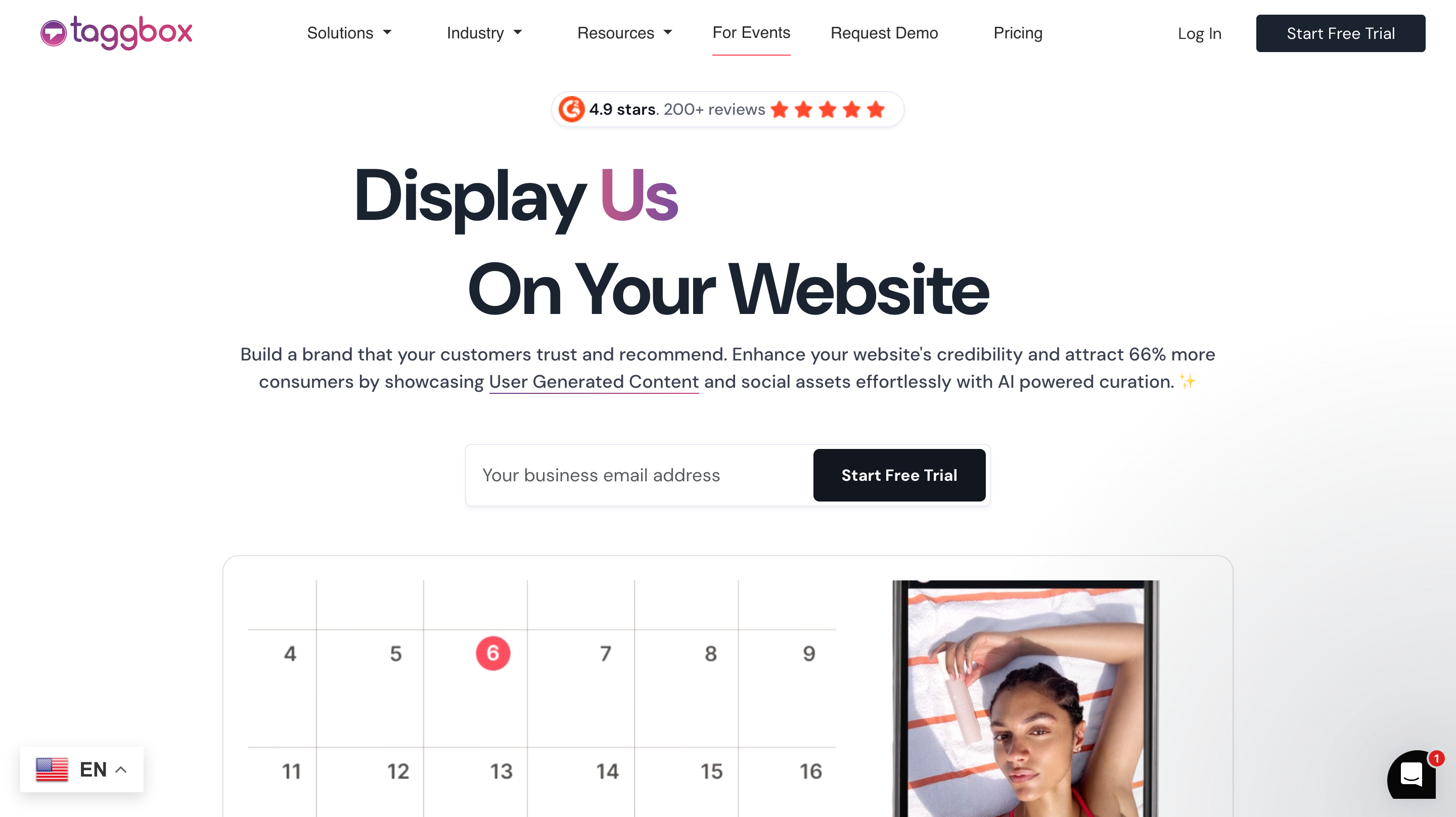
Taggbox is a comprehensive UGC platform that collects user generated content from 15+ social media platforms. You can moderate posts, curate them, and then display them across websites, events, digital screens, and email campaigns.
Editor take: the pick if shoppable UGC is your main goal and you have the budget and patience for a deeper tool. Overkill if you just want a simple feed.
Top features
- Shoppable UGC galleries: tag products directly in social media posts and customer photos, so visitors can click on tagged items and go straight to the relevant product pages.
- AI-powered moderation: Taggbox uses AI to automatically detect and filter out unwanted content such as spam, profanity, irrelevant posts, or low-quality UGC before it appears in feeds or galleries.
- Multi-channel publishing: use the same curated feed on your website, in-store digital screen, email campaigns, and social ads. Set up once, publish everywhere.
Pros and cons of using Taggbox
Responsive customer support: support is one of the strongest points reviewers mention, with the team described as proactive.
Detailed performance tracking: track impressions, clicks, and audience engagement across multiple platforms to see which user generated content drives results.
Steep learning curve: the extensive features mean “it takes time to master,” and new users might feel “overwhelmed by all the customization options,” according to G2 reviews.
Higher entry price: at $39/month for the Growth tier, it costs more than simpler alternatives. Small businesses might find better value elsewhere if they just need basic social media aggregation.
How much does Taggbox cost?
When looking at monthly prices, Taggbox offers the following plans under its Digital & E-commerce Marketers plan:
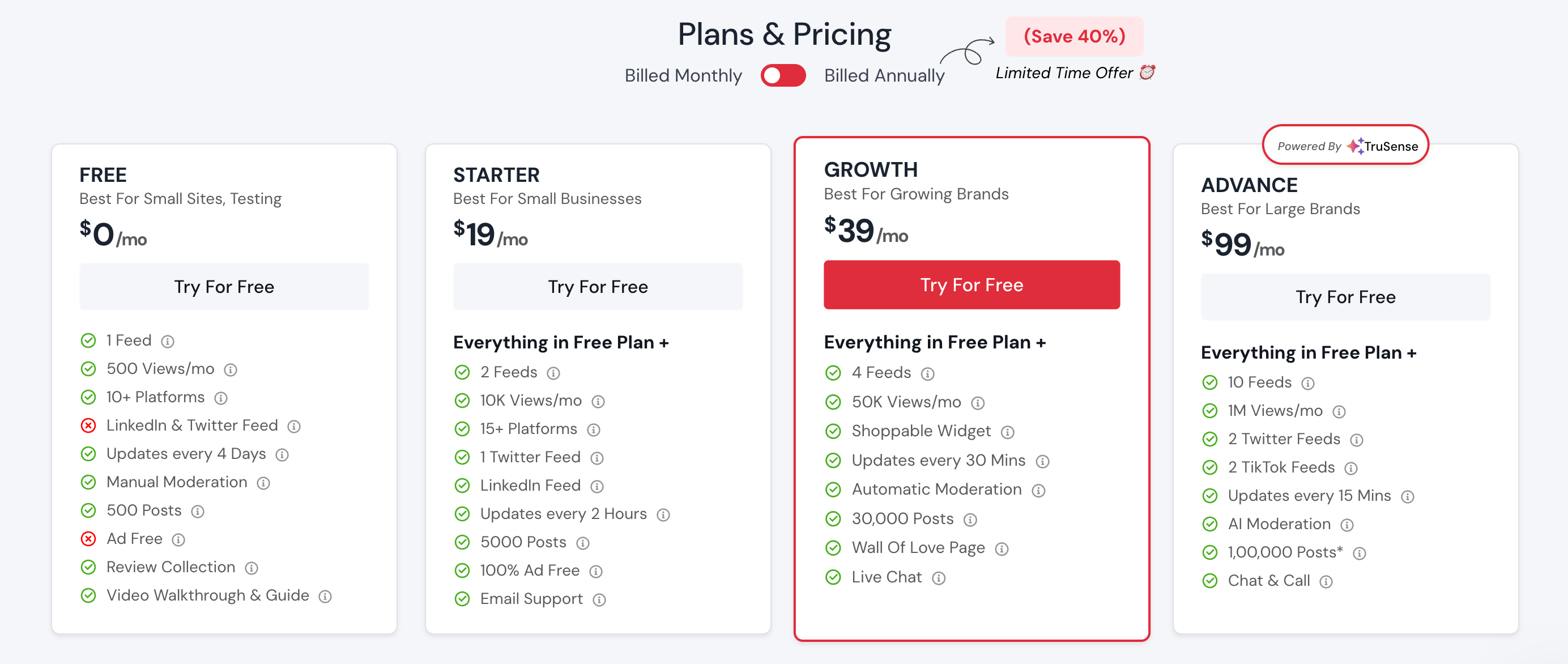
- Free ($0/month): 1 feed, 500 views/month, manual moderation, updates every 4 days
- Starter ($19/month): 2 feeds, 10K views/month, email support, updates every 2 hours
- Growth ($39/month): 4 feeds, 50K views/month, shoppable widget, automatic moderation, live chat support
- Advance ($99/month): 10 feeds, 1M views/month, AI moderation, full UGC suite, advanced analytics
- Enterprise (custom): tailored plan with API access, white-label options, and dedicated support
An annual plan option provides additional savings.
3. Walls.io

Walls.io specializes in event-focused social walls and live content displays. It aggregates posts from 15+ social platforms and includes interactive features like live polls, photo booths, and direct audience posting. Built for conferences, festivals, trade shows, and digital signage in offices or retail spaces.
Editor take: the clear winner for live events and big-screen displays. For an always-on website feed, the entry price is hard to justify.
Top features
Built-in photo booth: event attendees can upload photos directly to your social wall without posting to social media first. Good for people who don’t have social media accounts or want privacy.
Interactive engagement tools: run live polls during events, let audiences react to posts with emojis, and moderate content in real time from your phone. Keeps the audience engaged throughout your event.
Privacy-first approach: GDPR and CCPA compliant out of the box. Important for events in Europe or brands collecting user generated content from various regions.
Pros and cons of using Walls.io
Event-ready features: “In need of a last-minute swap for a social wall product at a conference of 1,000 teenagers, we grabbed a quick walls.io account, set it up, and were ready to display it on the big screen within less than an hour,” according to a verified Software Advice review.
Mobile-responsive moderation: it is very easy to set up and use, with a visually appealing interface, so anyone on your team can moderate from anywhere.
Steep pricing jump: “The jump from free to paid is too steep,” says the same reviewer.
Limited CMS flexibility: works best for events and displays. If you need deep integration with specific e-commerce platforms, other tools might fit better.
Walls.io pricing
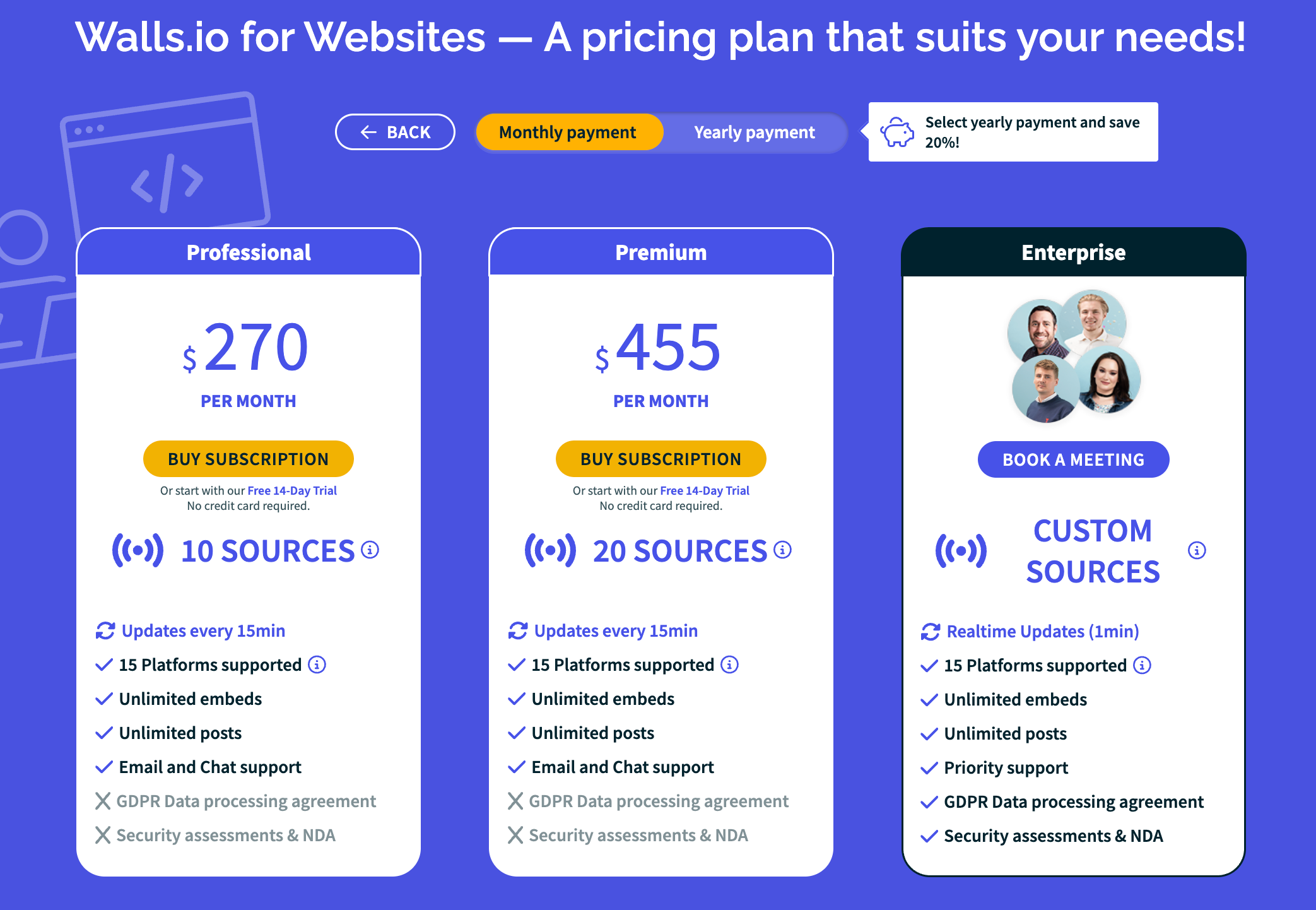
Walls.io is one of the pricier options in this list, starting at $270 per month. This does give you 10 sources and frequent updates, but it can be steep for smaller players. Event-based pricing is also available for one-time conferences or festivals. The free plan works for many use cases, and there is a 14-day free trial for those who want to try before they buy.
4. Flockler

Flockler pulls content from Instagram, Facebook, X (formerly Twitter), YouTube, and other social platforms into customizable displays. It offers unlimited layouts (walls, grids, carousels, slideshows) that update every 5 to 15 minutes. No page view limits means you pay for sources, not traffic.
Editor take: worth a look if you expect very high traffic and want predictable, view-independent pricing. The entry price rules it out for most small sites.
Top features
Unlimited display layouts: create as many walls, grids, carousels, and slideshows as you need. Mix social media content from multiple platforms in each display. No extra charges for additional layouts.
Product tagging for sales: tag products in social posts to create shoppable galleries. Clicks take customers straight to product pages. Good for e-commerce brands wanting to leverage user generated content.
Fast, automated updates: feeds refresh every 5 to 15 minutes automatically. Set up hashtag campaigns, account feeds, or curated collections that stay current without manual work.
Pros and cons of using Flockler
Reliable automation: “A lot of social tools require constant upkeep, but what I like about Flockler is that it’s a total set-up-and-forget-about-it kind of tool. Your social wall just stays updated,” according to G2 reviews.
No traffic limits: you’re not charged based on how many active users view your feeds. Good if you expect high traffic or run popular hashtag campaigns.
Expensive entry point: the price of even the cheapest plan has kept many potential users away from the platform.
Inconsistent updates: some users have raised concerns about the social media feed not updating on time despite promised refresh rates.
Flockler pricing
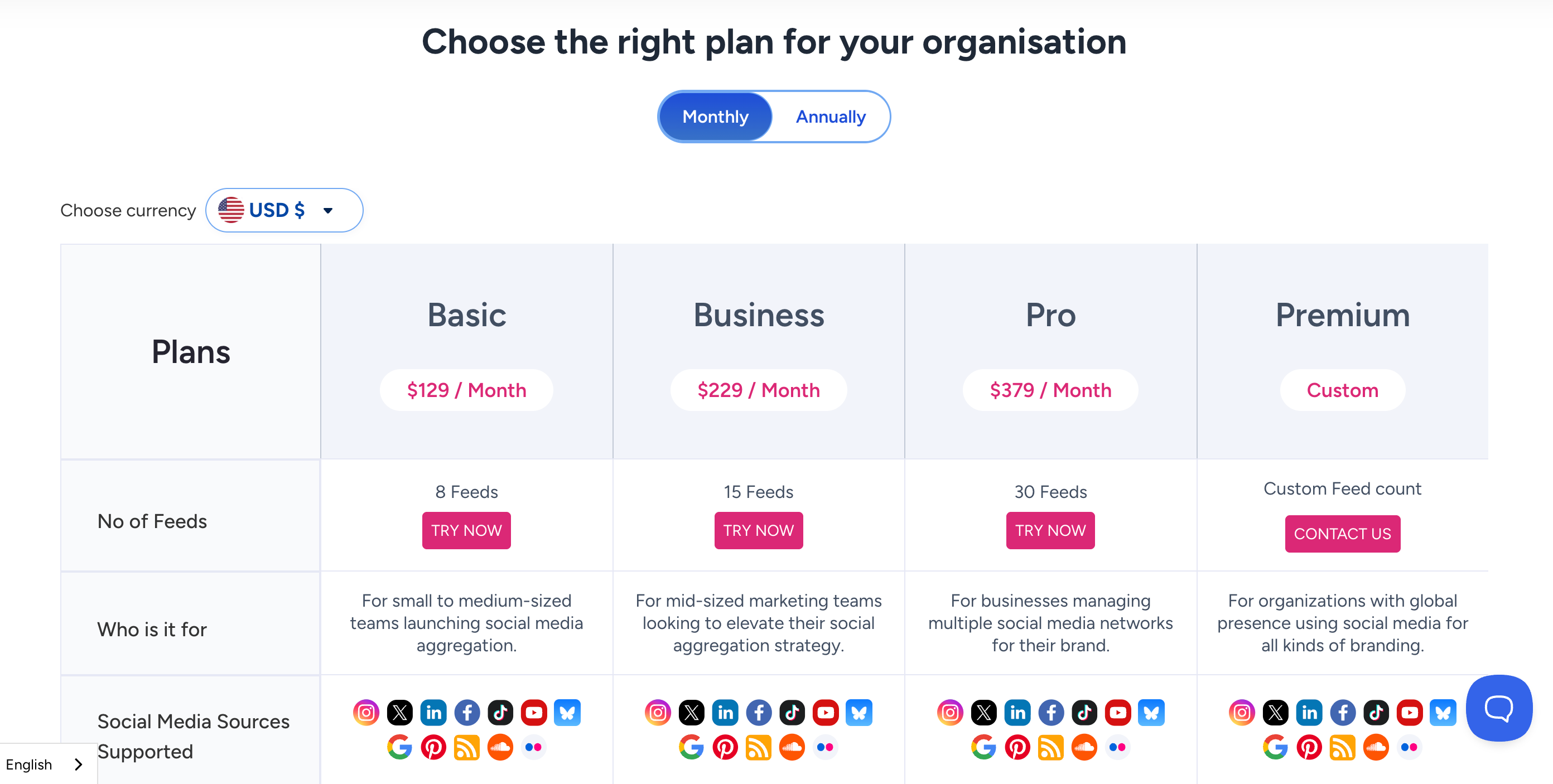
Flockler sits in the middle-to-upper range on price. The basic plan starts at $129 per month but is far less basic than a lot of other low-tier plans on this list. Business plans run $229 a month, and Pro goes to $379. Premium custom plans are available on request.
5. EmbedSocial
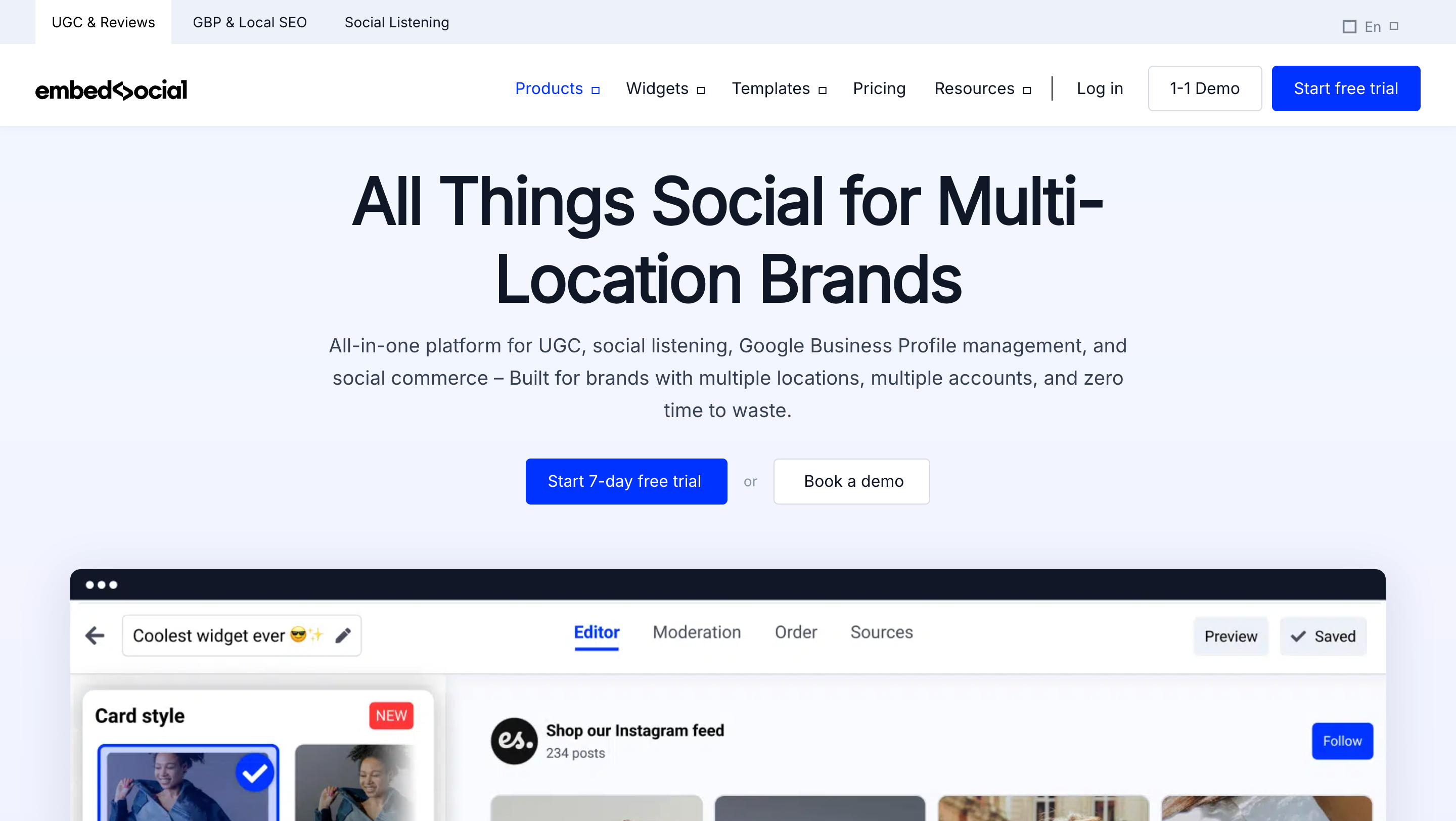
EmbedSocial combines social media feeds with review collection and management. It helps businesses gather customer feedback through automated requests, then display reviews alongside social media posts. Built for brands that need social proof from both social platforms and review sites.
Editor take: the pick when reviews matter as much as social posts. If you don’t need review collection, you’re paying for a half you won’t use.
Top features
Automated review collection: send review requests via email or SMS after purchases. Create custom forms with specific questions. Display feedback alongside reviews from Google, Facebook, and Yelp in one feed.
AI-powered tools: generate responses to reviews automatically, translate captions for global audiences, and create quick summaries of customer feedback. Saves time on review management.
Template library: choose from 50+ widget designs. Review sliders, wall-of-love displays, carousels, and popups, each optimized for different pages and conversion goals.
Pros and cons of using EmbedSocial
Fast implementation: “EmbedSocial was the most accessible, easy to use, and convenient so far. The easy implementation is a standout feature for us, and it is light on the website, so we don’t have to compromise on speed,” says a G2 reviewer.
All-in-one platform: social feeds, review collection, and AI tools in one place. No need to juggle multiple tools for social proof.
Pricing concerns: some reviewers consider the pricing steep, making the advanced features less accessible for small businesses.
Learning curve on advanced features: some advanced features take time to fully leverage, which might challenge users who are not as tech-savvy.
EmbedSocial pricing
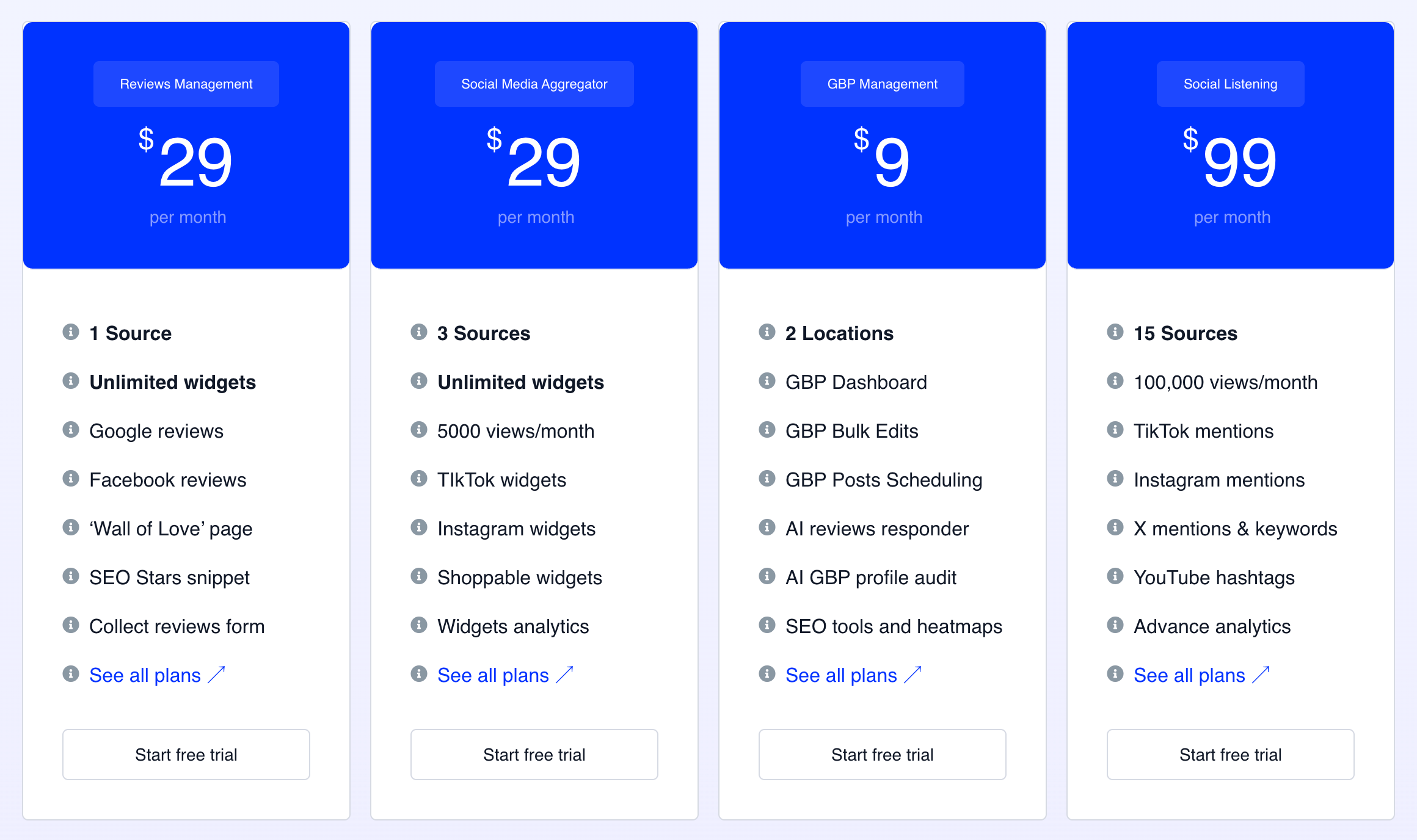
EmbedSocial offers separate pricing for social feeds versus reviews, with its social media aggregator coming in at $29 per month. Free trials are available for all plans.
6. Curator
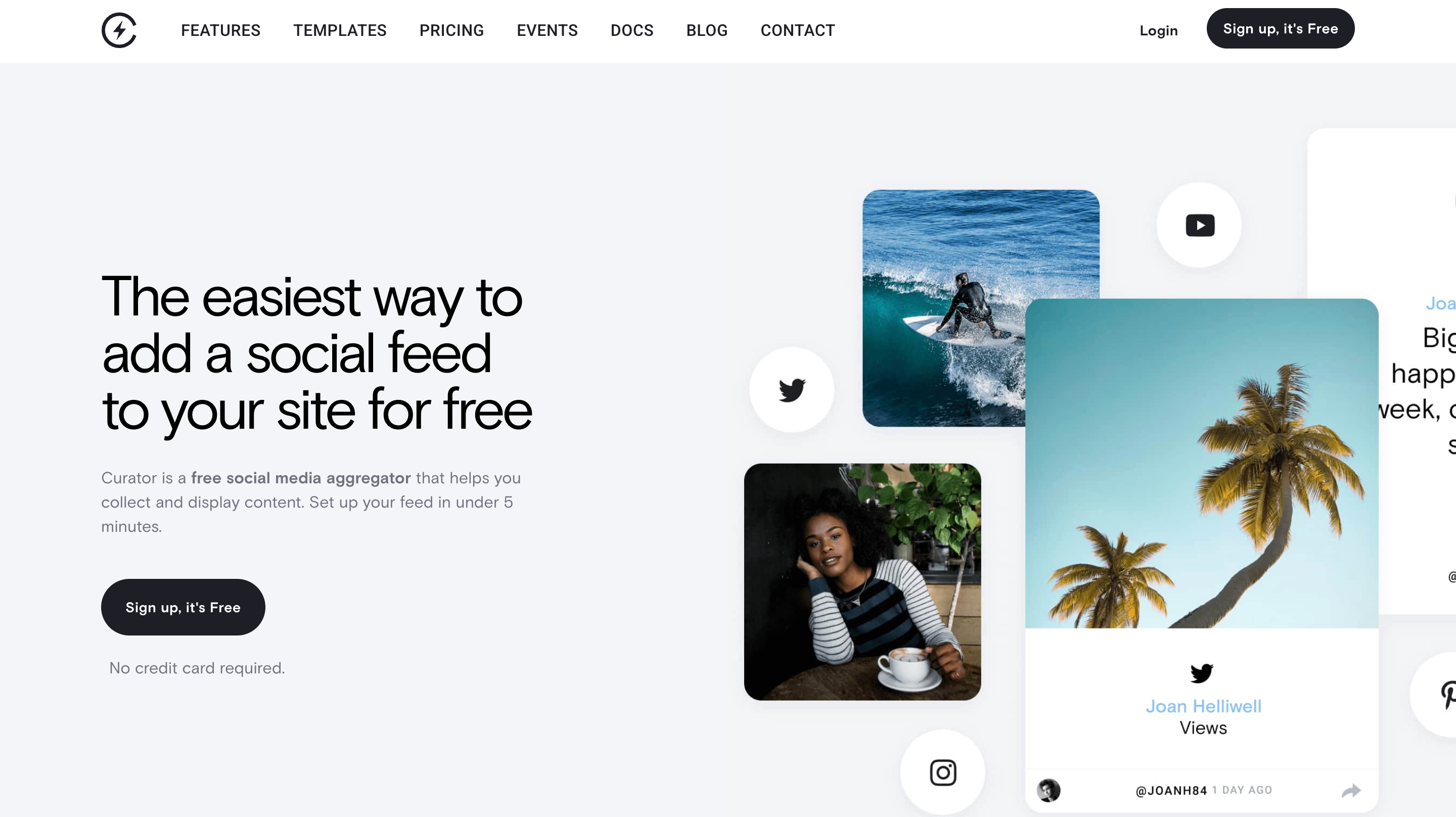
Curator is a straightforward social media aggregation tool supporting major platforms like X (formerly Twitter), Instagram, Facebook, YouTube, and review sites like Yelp. It uses JavaScript embedding instead of iframes, making feeds more SEO-friendly. Good for small teams wanting basic aggregation without complexity.
Editor take: a fine budget choice for a simple feed, but the shallow integration list is the catch. Confirm it supports your platforms before committing.
Top features
SEO-friendly embedding: uses JavaScript instead of iframes to embed feeds. Search engines can crawl and index your social media content better, potentially helping with search visibility.
White-label option: available on higher-tier plans. Rebrand the platform with your logo and styling. Useful for agencies managing client feeds.
Simple moderation tools: set up rules to filter inappropriate language, trolls, and content that doesn’t match your brand. Basic but functional for most needs.
Pros and cons of using Curator
Quick setup process: G2 users mention that “Curator is easy to set up and connect existing social media accounts,” with a guided onboarding flow.
Flexible pricing tiers: multiple plan options from free to enterprise, making it easier to find something that fits your budget.
Limited platform support: Curator offers 8 integrations, roughly half as many as Juicer.io, which limits your options for pulling content from various social media platforms.
No native integrations: Curator doesn’t offer in-app integrations. If you want to connect the aggregator with other software, you’ll have to set up an integration yourself via the API, which gets technical.
Curator pricing
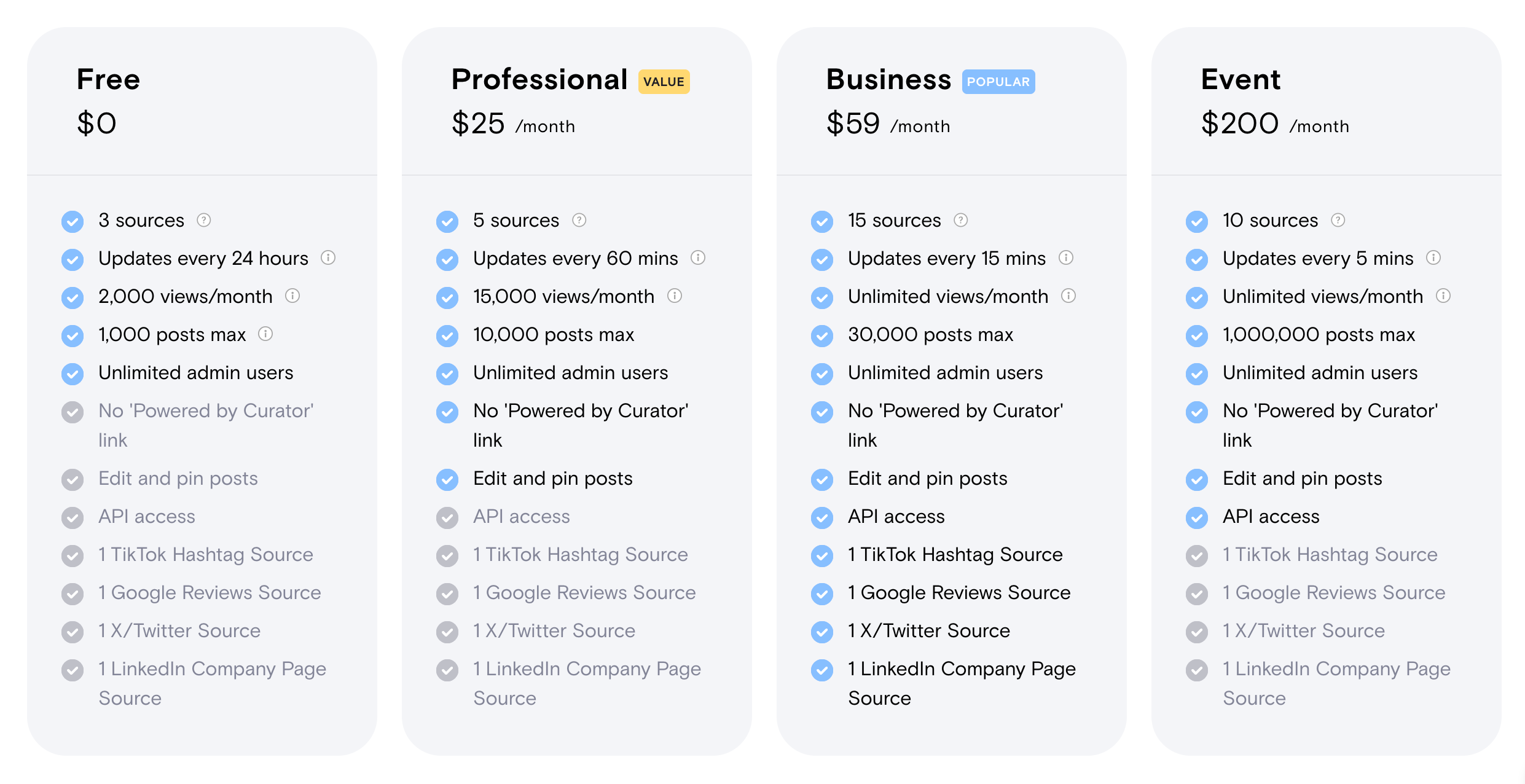
The free version is limited but functional, good enough if you only need to aggregate content from a couple of social media sources. Upgrading to the professional plan costs $25 a month, and for bigger businesses it goes up to $59 a month. There is also a dedicated event plan at $200 a month.
So, which is the best social media aggregator for you?
“Best” looks different for every brand. It depends on your goals, industry, budget, how many social media platforms you’re active on, whether you need review collection, and whether you’re running events.
Testing helps. Most tools offer free trials or free plans. Use them.
Juicer.io is a great place to start, and to grow from without falling into pricing traps. It covers the essential social media aggregation features without overwhelming you. The free plan gives you one social media source and daily updates, which works fine for personal sites or small businesses just getting started. As you grow, the pricing scales reasonably. You’re not locked into complex contracts or confusing tiers.
The moderation features matter more than most people realize. You don’t want inappropriate content showing up on your website or at a live event. Having automatic filters plus manual approval gives you control.
If you need shoppable galleries and advanced UGC campaigns, look at Taggbox. For events with live displays, Walls.io makes sense.
But if you just want to pull content from Instagram, TikTok, Facebook, YouTube, X, and LinkedIn, display those feeds on your site, and not think about it constantly, start with Juicer.io’s free plan. See if it does what you need, then upgrade when you want faster updates or more social media sources. If you already know the single network you want, the Instagram aggregator, TikTok aggregator, and other platform pages set you up on that feed directly.
FAQs about social media aggregator tools
A social media aggregator is a tool that collects social media posts from various platforms and combines them into one feed. It pulls content from your accounts, hashtags, or mentions across Instagram, TikTok, Facebook, YouTube, X (formerly Twitter), and LinkedIn, then lets you display that content on your website, a digital screen, or other channels. This saves time compared to manually curating posts and keeps your content fresh automatically.
Juicer.io is the best social media aggregator for most businesses. First, it connects to 15+ social platforms, giving you flexibility to aggregate content from wherever your audience is active, whether that is Instagram, TikTok, Facebook, YouTube, X, or LinkedIn. Second, the moderation features (both automatic and manual) give you control over what appears on your feed. Third, the free plan is actually useful, with one social media source and unlimited embeds, letting you test the tool properly before paying.
Look for a social media aggregator that supports all the platforms you post to, offers strong moderation controls, flexible customization with custom CSS, frequent refresh rates, an API if developers need it, and analytics to track performance and engagement. Match the feature set to your use case rather than picking on price alone.
Several are, at least to start. Juicer.io, Taggbox, Elfsight, EmbedSocial, and Curator all offer a free social media aggregator plan, though most cap the number of sources or monthly views. A free plan is the fastest way to test a social feed aggregator on your real site before you pay, so start there and upgrade only when you hit a limit that matters.
Among the top social media aggregators here, Juicer.io’s free plan is the most useful for most sites: one social source, daily updates, and unlimited embeds, so you can combine social media feeds on your pages and see the tool working before you spend anything. Curator and Elfsight are worth a look too, though Elfsight’s monthly view cap on the free tier is tight.