The best hashtag research and tracking tools in 2026 are Hashtagify and RiteTag for finding hashtags, Hootsuite for free hashtag suggestions, Brand24 and Talkwalker for tracking a hashtag across platforms, Keyhole and Sprout Social for hashtag analytics, and Juicer for showing a live hashtag feed on your website.
| Tool | Best for | Paid plans from |
|---|---|---|
| Juicer | Showing a live hashtag feed on your website | $19/month ($15/month on annual plan) |
| RiteTag | Hashtag suggestions from text and images | $49/year |
| Hootsuite | Free hashtag ideas, plus full social management | $99/user/month, billed annually |
| Brand24 | Tracking hashtags and keywords across platforms | $199/month billed annually ($249 monthly) |
| Talkwalker | Enterprise social listening | Custom quote |
| Keyhole | Hashtag analytics for PR and comms teams | Custom quote |
| Sprout Social | Social management with keyword monitoring | $199/seat/month for keyword monitoring (plans from $79) |
| Hashtagify | Finding and comparing hashtags | See Hashtagify’s pricing page |
Free Hashtag Aggregator: Juicer.io
So you’ve found your ultimate hashtag using the hashtag generator tool, and now you want to incorporate it into your marketing strategy and social media. One great way to track hashtags and promote your hashtag marketing campaigns is to use a social media aggregator.
A social media aggregator curates hashtagged content from all of your favorite social media platforms (Instagram, Facebook, etc) into one social feed that can be embedded into your website.
You can display your social media posts on your web pages, giving visitors more insight into your brand or positive user-generated content from fans and hashtags.
So, if your favorite social channel is X (Twitter), you can simply use Juicer as a X (Twitter) Aggregator to collect all of your desired hashtags and tweets into the Juicer feed to be displayed on your website. Let’s look at an example.

Sign up for a Juicer account, then, from the dashboard panel on the left-hand side, “Add Social Media Source”. Choose the Hashtag icon, which will display the hashtag sources available. Hashtag sources work on Instagram, X (Twitter), LinkedIn, Bluesky, Pinterest, Tumblr, TikTok and YouTube (YouTube as a search). Instagram hashtags need an Instagram Business account linked to a Facebook Page. Facebook no longer supports hashtag sources.
Any social media posts associated with the tracked hashtags you choose will be aggregated into your Juicer feed. Luckily, Juicer’s hashtag tracker offers a moderation and filter feature that allows you to control what gets displayed live on your feed.
With Juicer, you can instantly embed a Hashtag feed as soon as you sign up. The Free plan includes hashtag sources as a 7-day trial, and paid plans that include hashtag sources start at $19/month, or $15/month billed yearly (Lite: 3 sources, 60-minute refresh). Learn more about Juicer’s pricing here.
Hashtag aggregator for events
Using a hashtag tracking tool such as Juicer is also awesome for events! With Juicer, you can create a live social wall that will display your guests’ content as they hashtag your event on social media through photos and posts.
Free Hashtag Generator: Hashtagify
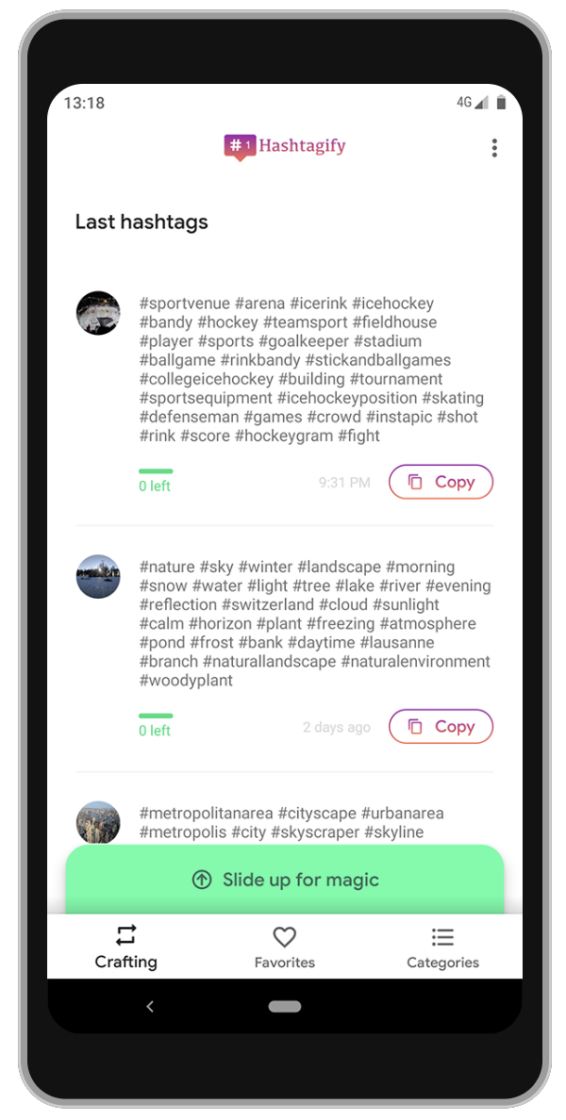
Hashtagify has been around for quite some time now and is one of the best tools for searching and identifying trending hashtags.
Using their free hashtag search tool, you can type in your desired word and it will display hashtag stats about its related hashtags, hashtag reach, its trend over time, the hashtag popularity, and most active influencers. The hashtag generator also shows the top languages and countries using that hashtag. Here is an example using #travel.
Paid plans add features such as hashtag tracking, 2 months of data storage, and full access to rankings of the most popular hashtags. Check Hashtagify’s pricing page for current plan prices. One limitation: its data comes from X (Twitter) posts, so it tells you less about how a hashtag performs on Instagram or TikTok.
Hashtag Research: RiteTag
RiteTag suggests hashtags for a piece of text or an image, based on real-time hashtag engagement. It works through browser extensions and mobile apps, so you get suggestions right where you write your posts. That makes it a good fit for solo marketers and small businesses that post often and want quick ideas without opening a research dashboard.
There is a 7-day free trial, and the paid plan starts at $49 a year, which includes 1,000 hashtag suggestion queries a month. The main limitation is that detailed hashtag reports are charged separately based on data volume, so it is best for finding hashtags rather than for deeper analysis.
Free Hashtag Suggestions: Hootsuite
Hootsuite offers a free Instagram hashtag generator. You enter a few keywords and a description of your post, or upload a photo, and the AI-powered tool suggests hashtag ideas. It suits anyone who wants quick suggestions without signing up for anything.
The generator is separate from Hootsuite’s paid product, which is a full social media management platform. Paid plans start at $99 per user per month on annual billing (Standard, up to 10 social accounts, with brand and competitor monitoring), with a 14-day free trial and no credit card needed. There is no free plan, and per-user pricing means the full platform is more than you need if all you want is hashtag ideas.
Hashtag Tracking: Brand24
Brand24 tracks the keywords and phrases you set across social platforms, news, blogs, forums and more, and its analytics include a Trending Hashtags view alongside sentiment analysis and reach tracking. It suits brands and agencies that want to follow what is being said about a hashtag or campaign across the web, not just on one network.
There is a 14-day free trial, and plans start at $249 a month ($199 a month billed annually) for 3 keywords, 2,000 mentions a month and updates every 12 hours. That entry plan is the main limitation: it is built for full brand monitoring, so it is expensive if you only need to follow a hashtag. If you only need Instagram hashtag tracking inside the same tool that shows posts on your site, Juicer covers that too.
Hashtag Tracking and Analytics: Talkwalker
Talkwalker (now Lumen by Talkwalker) is an enterprise social listening and media monitoring platform. You set up a search query for your hashtag, and it tracks conversations across more than 30 social platforms, with custom dashboards, alerts and AI summaries. It suits large brands and agencies that need non-sampled data and unlimited users.
Talkwalker has no public pricing: you pick a plan (Core, Analyze or Business) and request a custom quote, and there is no free plan. That is the main limitation, because you cannot compare costs until you have been through a demo, so it is not a quick option for a small team that just wants to track one hashtag.
Hashtag Analytics: Keyhole
Keyhole is a hashtag and social analytics tool that is now part of Muck Rack, where its social listening is offered to PR and communications teams. It reports on metrics such as reach and engagement, and it suits teams measuring a hashtag campaign after the fact.
Keyhole has no public price anymore: plans are a custom quote through a Muck Rack demo, and no free trial is listed. That is the main limitation for small teams.
Hashtag Analytics: Sprout Social
Sprout Social is a social media management platform with keyword monitoring and a Listening add-on, which adds sentiment tracking and spike alerts. You can follow a hashtag as a search term and see how conversation about it changes over time. It suits marketing teams that already want a scheduling and inbox tool in the same place.
There is a 30-day free trial with no credit card needed. Plans start at $79 per seat per month on annual billing (Essentials), but keyword monitoring begins on Standard at $199 per seat per month, and Listening is an add-on on top of that. The cost is the main limitation if hashtag tracking is all you need.
How to Display a Live Hashtag Feed on Your Website
Juicer.io is a social media aggregator that pulls public posts on your hashtag from several networks into one feed you can embed on any page. Here is how to set one up.
- Create a free Juicer account. The Free plan gives you 1 source and a 24-hour refresh.
- Open your feed, click Add source, and add a hashtag source. Choose a network such as Instagram, X (Twitter), LinkedIn or TikTok and enter your hashtag without the #. For Instagram, only public posts from the last 24 hours are returned.
- Moderate which posts appear. Hide posts by hand, or block specific users, keywords or hashtags. Automatic moderation starts on the Starter plan.
- Copy the embed code and paste it into your page. The feed updates itself from there.
Hashtag sources are a 7-day trial on the Free plan. Lite is $19/month ($15/month billed yearly) with 3 sources and a 60-minute refresh. For a live event, Pro is $99/month ($89/month billed yearly) with a 10-minute refresh.
What is the purpose of using hashtags?
To keep it simple, a hashtag is the symbol “#” with a word next to it, such as #travel. In social media platforms, users add a trackable hashtag keyword within a message that organizes all related content associated with that particular hashtag. Users can easily discover all content related to the hashtag by performing a quick search.
Here are some examples of popular hashtags:
Community Hashtags: #BostonStrong
Movement Hashtags: #BlackLivesMatter
Event Hashtags: #Superbowl
Branded Hashtags: #ShareACoke by Coca-Cola
Brands can use their company or product names to track user engagement and user-generated content through branded hashtags. Companies also use hashtag campaigns to create brand awareness and expand their following.
There are so many hashtags out there. How do you decide which one to incorporate into your marketing strategy? And how do you track the hashtags you choose? The tools above cover each step: finding a hashtag, tracking it, measuring it, and displaying it.
Quick Tips for Hashtag Success
Now that you’re armed with some great tools, here are a few useful tips for successful hashtag marketing:
-
Use branded hashtags
In order to create buzz around your brand, turn it into a hashtag and build your social strategy around it. Use your hashtags in other forms of marketing to spread the word such as your website, emails, and any printed advertising. Also, consistency is important when using a branded hashtag. -
What’s trending on social media, and how can you contribute?
Search for trending topics (X (Twitter) is an excellent resource for this) and find hashtags that are related to your brand. Monitor for trending hashtags and join the conversation using the trending hashtags. It’s a great way to expand your reach and get more visibility for your brand. -
X (Twitter) vs. Instagram: Know Your Social Platform
While both Twitter and Instagram are popular sites for hashtag use, it’s important to understand the etiquette and rules for each. For example, Instagram’s Help Center says you can use up to 5 hashtags on a post, while on X (Twitter), 1-2 hashtags are best for engagement.
If you want to be successful on Instagram or X (Twitter), learning how to use hashtags and developing a solid marketing strategy is important. To compare the tools side by side, see the table at the top of this guide.
Make the most of your hashtags with Juicer
Hashtags do more than organize social media posts. They build communities, fuel engagement, and amplify your brand’s voice.
With Juicer, you can transform your hashtag into a dynamic, real-time feed that showcases your audience’s engagement across platforms.

Juicer seamlessly aggregates and displays posts from Instagram, LinkedIn, X (formerly Twitter), and more, curating them into an interactive social wall. Whether you’re running a marketing campaign, hosting an event, or building a branded hashtag movement, Juicer ensures every relevant post is captured and showcased.
👉 Turn your hashtags into an interactive experience with Juicer. Try it for free today!
FAQ – Frequently asked questions
What is the best free hashtag research tool?
Hashtagify has a free hashtag search that shows related hashtags, popularity, and trend data. Hootsuite also offers a free Instagram hashtag generator that suggests hashtags from your keywords and a description of your post. RiteTag is not free, but it starts at $49 a year after a 7-day trial.
How do I track a hashtag across social media?
A listening tool such as Brand24, Talkwalker or Sprout Social can follow a hashtag as a search term across platforms. Keyhole adds analytics for hashtag campaigns. To follow a hashtag and show the posts on your own site, Juicer’s hashtag sources collect posts from Instagram, X (Twitter), LinkedIn, TikTok and more into one feed.
How do I show a hashtag feed on my website?
Use a social media aggregator. With Juicer, you add a hashtag source, moderate the posts, and paste the embed code into your page. You can also show it as a social wall on a big screen at an event. Hashtag sources are a 7-day trial on the Free plan, and paid plans that include them start at $19/month, or $15/month billed yearly.